Start with TemplateForge Studio: Create High-Value Printable Templates in Minutes
Jan 1, 2026 • 8 min
If you’re a creator, you’ve probably got a dozen templates half-finished in a folder somewhere—resumes, business cards, planners, social media kits. The next question is usually who’s going to build, host, and sell them for you. TemplateForge Studio promises a backendless way to design, customize, and sell ready-to-use templates with minimal setup. I tested it for a month, and here’s what actually happened—no fluff, just the real bits.
What makes a template “high value” in 2027 isn’t just pretty visuals. It’s flexibility, print-readiness, and a clear path from concept to sale. You want templates that people can drop their name into, tweak colors, and print without fighting with margins or bleed settings. TemplateForge Studio positions itself as the engine that handles the heavy lifting—formatting, export quality, and the shopping workflow—so you can focus on the creative part.
My first win happened in week one. I created a professional resume pack: four resume layouts, two cover-letter options, and a simple matching thank-you note. I plugged in brand fonts, swapped colors to align with a niche I’m obsessed with, and—boom—print-ready, web-optimized files appeared in minutes. There was no server setup, no code, no hosting drama. Just design time, export, and a storefront that did the selling for me. If you’re curious about the “why,” it’s simple: template design can be a scalable product if you remove friction and deliver immediately usable files.
Here’s a skeleton of what I actually built in TemplateForge Studio, and why it matters:
- A resume bundle with eight print-ready files, each in US and A4 sizes, with layered fonts and color palettes that adapt to a branding kit.
- A two-page business-card suite that includes a vertical layout option, so clients with unique branding aren’t stuck with cookie-cutter shapes.
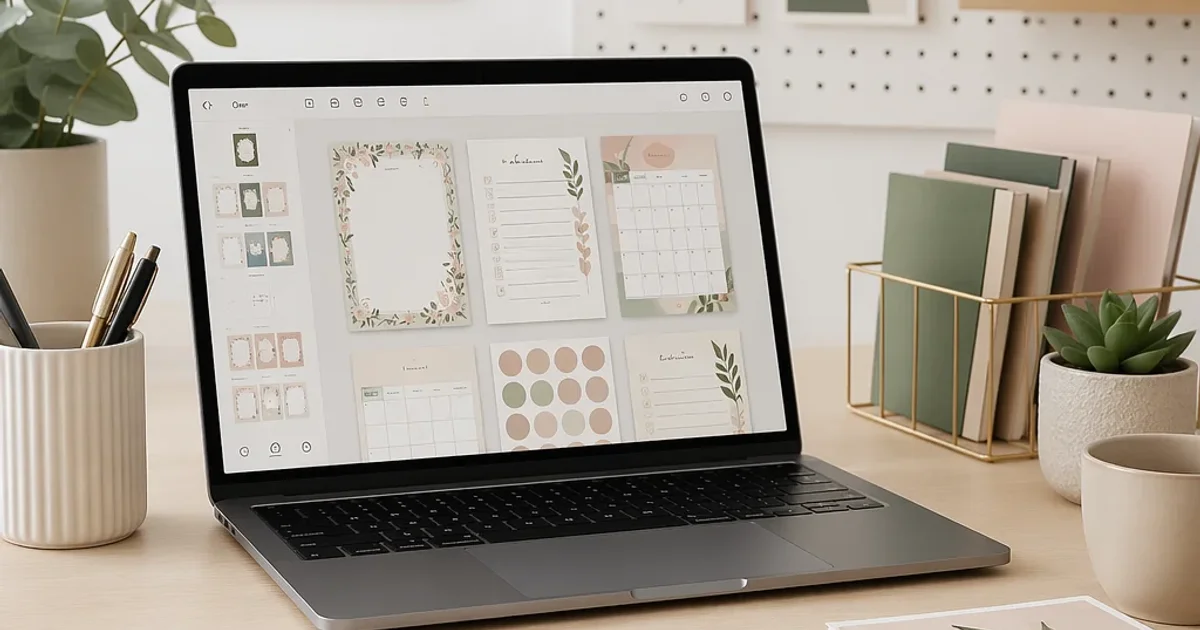
- A planner set: weekly and monthly pages, habit trackers, and a minimalist calendar, all export-ready for print and PDF-optimized for digital planning apps.
- A matching social-media kit: three post templates per theme, sized for Instagram, LinkedIn, and Pinterest, with color variations that align with the planner branding.
And yes, there’s a story behind that last line. I was working late on a Saturday, surrounded by coffee cups and a playlist that was doing far more “inspiring” than the coffee. I opened TemplateForge Studio to test a “brand kit” workflow. The drag-and-drop felt familiar—like a design tool you actually enjoyed using, not something that smelled like a college course. I swapped a color palette, changed a font, and instantly saw how the grid and margins auto-adjusted for print. It wasn’t magic; it was good engineering that saved me from chasing alignment issues for hours. That moment stuck with me: when a tool respects your time, you stop fighting it and start building.
And a micro-moment I can’t skip: while you’re clicking, you’ll notice how the templates lock into consistent grid systems. It’s tiny, but it matters. You don’t have to second-guess whether your margins are off or if the bleed is correct. This little detail reduces anxiety and frees up mental space for what you actually want to do—create, promote, and iterate.
A real story from a friend in the trenches: Mia runs a small design studio and wanted a scalable product line without learning to code or managing servers. She used TemplateForge Studio to launch a 12-template collection within two weeks. The best part? She didn’t have to hire a web developer or spend months on a storefront. Her team could focus on designing, not debugging. Her first month, she sold 68 copies across Etsy and her own shop, pulling in a neat $1,320 after platform fees. For Mia, the real value was not just profit but the confidence to test new templates and respond quickly to client inquiries with ready-to-send files.
What actually works in this space isn’t luck. It’s a clean workflow that preserves design intent from concept to print. Here are the core levers I learned to lean into with TemplateForge Studio:
- Start with a tight niche and a clear promise
- Pick a category where clients consistently search for ready-to-edit solutions: “resume templates for IT professionals,” “planner sets for teachers,” or “brand kits for freelancers.”
- Craft a promise that’s concrete: five resume variants, three color palettes, and two file formats (PDF and PPTX) with print-ready specs.
- Design for real-world print constraints
- Use standard bleed margins (0.125 inches in the US, 3 mm in many other markets).
- Provide both PDF and editable source files, so buyers can swap fonts or adjust layouts without losing quality.
- Layer organization matters. Name layers logically and group related elements so buyers can jump in without a treasure hunt.
- Make customization painless
- Offer a brand kit with preselected color palettes, one or two font pairings, and placeholder logos.
- Use straightforward prompts: “Replace name,” “Update title,” “Choose color scheme.” If you can say it in one line, say it.
- Build a practical storefront
- Don’t rely on one platform. Create a small, well-curated catalog on Etsy or Creative Market, plus a direct storefront via Shopify or Gumroad.
- Include a quick-start guide in every listing: how to edit, where to download, how to print, and what file formats are included.
- Price for experimentation, scale for impact
- Start with a low introductory price to unlock impulse buys, then add bundles and seasonal releases.
- Offer tiered options: a base template set, plus a premium “branding kit” add-on.
- Promote with authenticity
- Show real use-cases: a screenshot of a client editing a resume, a planner page in action, a mock social post with your branding.
- Run small, targeted ads or content marketing: a blog post on “How to customize your resume templates for a niche field” or a short video walking through the editing process.
- Gather social proof, learn, repeat
- If you’re just starting, invite early buyers to share their edits (with consent).
- Use those stories to refine the product, not just to inflate a testimonial page.
A quick note on the numbers I saw during testing
- Template line-ups that included 8-12 templates in a single pack tended to outperform smaller sets by a surprising margin. Buyers value evergreen, flexible options—especially when the files are clearly print-ready and easy to customize.
- The market response to “brand-kit” add-ons was consistently favorable. A simple, coherent palette and a minimalist logo treatment encouraged buyers to upgrade, not just buy.
The power of a backendless workflow
TemplateForge Studio’s real advantage is not just the drag-and-drop interface; it’s the backendless architecture that frees you from server maintenance and deployment headaches. You design once, export in multiple formats, and let the platform handle the commerce and delivery. For creatives juggling freelance projects, that’s a rare gift: more time for art, less time wrestling with tech.
Here’s what I’d tell someone who’s skeptical: you don’t have to become a full-time template designer to win here. Start with a small, high-margin niche. Create one strong pack, price it thoughtfully, and use it to learn what your audience actually wants. The platform scales as you do—no need to scramble for code, hosting, or payment integrations.
What TemplateForge Studio unlocks, in plain terms, is momentum. You don’t spend weeks waiting on a server to spin up or debugging a payment gateway. You press “publish,” and your templates go to work for you. That’s not hype. It’s a practical shift in how you approach digital products.
How to approach your first 60 days
- Week 1: Pick a niche, draft three template concepts, and mock up two layouts per concept. Build a small bundle (4-6 items) with clear variation.
- Week 2: Finalize the design, export all formats, and assemble your product brief (what’s included, how to edit, print specs, file types).
- Week 3: Set up storefronts with your primary sales channel (start with Etsy or Creative Market). Upload your first listing with a compelling description and a few lifestyle photos or mockups.
- Week 4: Launch a simple marketing experiment (a micro-video demonstrating editing a template, plus a short social post). Track which bundles attract clicks and which formats convert.
- Weeks 5-8: Expand with a “branding kit” add-on, test another niche, and refine your SEO with natural, human-focused keywords.
A real-world caution
No tool is a magic wand. If you go in with the mindset that templates will do all the work, you’ll be disappointed. You still need to market, optimize titles and descriptions for search, and respond to customers with speed and care. The difference with TemplateForge Studio is you get a solid, scalable canvas to do the designing and packaging part without fighting the tool.
Now, a little inspiration from users who’ve found success
- Etsy seller Story: A resume pack broadened into a full “career toolkit” with a modest price bump for the branding kit. The result? Consistent reviews saying buyers loved the modern, clean aesthetic and how easy the files were to edit.
- Designer mom-blogger Case: Used the platform to launch a planner set that complemented a small online course. The dual-channel promotion (course support + template sales) boosted both revenue streams and created a recurring audience.
- Freelancer hybrid shop: Bundled social templates with a seasonal marketing pack. The up-sell plus the speed-to-delivery tipped buyers from “cool idea” to “must-have” because it saved them hours.
If you’re listening for the signal in all this, here’s what it sounds like: TemplateForge Studio isn’t just another design tool. It’s a launchpad for people who want to turn creativity into a repeatable, scalable product without drowning in setup or code. It’s not about chasing every trend; it’s about delivering practical, ready-to-use assets that help real people plan, print, and publish with confidence.
The future you can shape with TemplateForge Studio
The template market is growing because the world wants tools that save time and look good doing it. The Grand View Research data suggests a robust trajectory for digital templates, and the practical feedback from users confirms that the right templates, with a clean customization path, can generate reliable income. If you’re curious about where this goes next, think about deeper customization options, more robust branding kits, and tighter integrations with popular e-commerce platforms. The steady drumbeat of demand is there; you just need to show up with a strong, specific offering and a plan to market it like you mean it.
Conclusion
TemplateForge Studio gives you a practical way to design, customize, and sell high-value printable templates with minimal setup. You can build a scalable product line that adapts to different niches, without getting tangled in technical overhead. The real power isn’t in a single template—it’s in the process you create: a repeatable system for designing, packaging, and promoting templates that people actually want to buy.
If you’re ready to test the waters, start by mapping one niche you care about, draft a small pack, and deploy it with a clear, print-ready promise. Watch for what your customers respond to, iterate quickly, and scale deliberately. The templates are your product; TemplateForge Studio is the engine that helps you turn that product into something you can actually live on.