Profit Template Studio: Sell Customizable Templates at Scale
Jul 24, 2026 • 9 min
If you’re anything like me, you’ve spent hours chasing the right client, the perfect hours-to-dollar ratio, and the holy grail of sustainable income. I’ve done it the hard way: trading time for money, one bespoke project at a time. And I burned out.
Then I started productizing what I know. I built a little framework I now call the Profit Template Studio: take a piece of expertise, wrap it in a template that someone else can customize in minutes, and sell it not once but again and again. The result? A scalable, high-margin revenue stream that doesn’t require you to morph into a constant content machine or a full-time support desk.
Here’s what I learned along the way—and what you can apply to turn your knowledge into a library of assets people actually buy.
The core idea: value, not hours
I remember the moment a client asked me for a month-long engagement to build a bespoke dashboard. I’d already delivered a few similar templates, so I knew the process. The client wouldn’t stop talking about how much time this dashboard would save them each quarter. It clicked: the money isn’t in the hourly rate; it’s in delivering a tool people can reuse, again and again, with less friction each time.
That shift in thinking—value, not hours—became the north star. When you price a template, you’re not selling a file; you’re selling a toolkit that multiplies your buyer’s output. It’s underpriced if it saves a couple of hours; it’s invaluable if it saves weeks across a year. The math changes when you focus on outcomes.
A quick micro-moment that stuck with me: I was packaging a Notion workflow for onboarding new hires, and I realized the core logic was the same across teams—structure, clarity, a dash of automation. The only thing that changed was the inputs. That’s the essence of productized knowledge: the same engine, different users.
And a practical aside I’ll return to later: the moment you lock in the core logic, your job is to open the inputs wide and design for effortless customization. If the core algorithm is fragile, you’ll frustrate buyers. If it’s robust, you unlock real, scalable value.
How to identify your high-value niche
What people actually want is a solution to a real, recurring problem. You don’t need to solve every problem. You need to solve a tight, repeatable one that people are willing to pay for repeatedly.
Here’s how I approached this:
- Start with your best two or three domains of expertise.
- Map those domains to observable business pains in workflows, reporting, planning, or strategy.
- Validate with quick conversations: “If I gave you a template that cut your X by 50%, would you buy it?” If the answer is yes, you’ve found a viable use-case.
A few principles I leaned into:
- Templates must be robust but not rigid. Buyers want to customize, but they don’t want to break the whole thing when they tweak one input.
- Build for the edge case you can’t ignore. If your template breaks under a common use-case, you’ll hear about it loud and clear—maybe from the first five buyers. Better to catch that early.
- Focus on a single audience first. It’s tempting to create generic templates, but the early adopters will teach you what works, what doesn’t, and where the value truly lies.
The research my team pulled together helped validate this approach. We looked at digital asset marketplaces and saw that “done-for-you” solutions that can be quickly customized outperform barebones templates in terms of buyer willingness to pay and repeat purchases. The data wasn’t just about dollars; it was about mental overhead. People buy ease, not just functionality.
Real-world anecdotes from creators mirrored this. A designer friend swapped a handful of one-off logo gigs for a Brand Guideline Template Kit for Canva. They sold 50 units in a month. The upfront effort was steep, but the ongoing monthly cash flow was a revelation. It’s a clear signal: the right template, in the right market, can unlock a passive income stream without becoming a maintenance monster.
Packaging for profit: structure and customization
The problem with templates is simple: you can’t sell a cheap, brittle thing and expect repeatable revenue. The fix is in packaging. Think tiers, not just files.
- The Starter Kit (low price, high volume): A single, well-made template that demonstrates the value quickly.
- The Pro Bundle (mid-tier, core revenue): A set of related templates designed to work together, offering a recognizable workflow (think a complete marketing funnel kit or a project-management playbook).
- The Studio License (high price, low volume): Access to source files, advanced features, plus a short, practical tutorial that unlocks full customization.
Where you deploy the template also matters. If you’re shipping a Notion template, buyers expect relational data, templates that can be duplicated across workspaces, and easy onboarding prompts. Google Sheets? They want clean formulas, robust error handling, and transparent input values. The platform sets the expectations for customization, so build the template with those expectations baked in.
An ongoing dialogue with buyers is invaluable here. One Reddit thread highlighted a common pain point: a financial model template that was hard to adjust without breaking everything. The core logic needed to be locked down, but the inputs had to be obvious. That’s the fine line you want to walk: protect the core logic, expose user-friendly inputs.
Pricing here is where you can extract serious value without turning buyers away. Start by anchoring your price to what a consultant would cost for a similar outcome, not the time you spent building the template. Curious buyer, high-value outcome—those combine into a compelling value proposition. If a small business owner saves 20 hours of work each month because of your template, you’re not selling a file; you’re selling a catalyst for growth.
A reminder I keep in mind: the template is a product, not a project. If your buyer expects ongoing heavy customization, you’re steering toward a service model rather than a repeatable product. You want the buyer to feel like they can own it, adapt it, and re-use it as their business evolves.
And yes, this is where the 30-60 second micro-moment appears again: a tiny feature—like a dark mode toggle in Notion templates—can unlock a cascade of new sales when you market it as a direct response to user feedback. It’s not about a big feature; it’s about showing you listen and respond.
Pricing strategy: value over time
One of the biggest emotional leaps in productizing knowledge is pricing. It’s easy to undervalue what you’ve built because you’re measuring it against your time rather than the buyer’s gain.
There are a few practical approaches that work well in digital templates:
- Value-based pricing: price based on the improvement in buyer outcomes, not the file size or hours of effort.
- Tiered pricing: give buyers a path from entry-level templates to more advanced bundles.
- Upsell opportunities: complementary assets, like process checklists, onboarding videos, or automation scripts.
To illustrate, consider a scenario where a template reduces onboarding time by 60 minutes per new hire. If your buyer handles 5 new hires monthly, that’s 5 hours saved per month. If your template costs $79, the buyer sees a 12-month payoff within a few months. That simple calculation is your friend when you’re debating price, upgrades, and value messaging.
There’s also a social proof angle. When buyers see case studies and before-after numbers, it becomes easier to justify the investment. A few real-world voices from creator communities reinforce this approach: a consultant who priced templates at a fraction of traditional consulting saw higher conversion because the perceived risk was low and the utility high; another seller realized conversions improved after clearer mockups and transparent outcomes.
If you’re starting, experiment with a price anchor. List a high-value use-case and price beneath it, so buyers feel they’re getting a steal. The perception of value, when paired with real outcomes, can move a hesitant buyer to action.
Promotion: showing transformation, not just features
A template doesn’t sell itself; you have to tell a story about what changes for the buyer. Your marketing should paint a clear before-and-after.
What to emphasize in your messaging:
- The pain points you’re solving (not just features)
- The tangible outcomes (time saved, errors reduced, faster decision-making)
- The ease of use and setup time
- The ongoing value (updates, support, community)
Content is your best friend here. Short form videos, quick tutorials, and real case studies beat long feature lists any day. A few practical tactics:
- Tutorials: Publish a 3-minute clip showing a common problem solved by your template.
- Case studies: Highlight a specific client who achieved measurable gains.
- Lead magnets: Offer a stripped-down version to collect emails, then nurture with a drip that guides buyers toward premium offerings.
On a practical level, pick two platforms where your audience actually hangs out. For B2B templates, LinkedIn and industry newsletters often outperform broad social channels. The key is to show, not just tell—you want to demonstrate the time saved or money earned.
Mockups matter. A lot. The first impression is visual, and buyers often judge capability by presentation. If your mockups feel vague or uncertain, so will your value proposition. Invest time in clean, compelling visuals and clear before-and-after scenarios.
In the wild, I’ve seen people trip over their own clarity. They describe what the template does but not what it enables the buyer to do differently tomorrow. Clarity here is not a luxury; it’s the difference between a sale and a hard no.
The future-proofing angle: maintenance without misery
A template business isn’t strictly passive. Platforms shift, templates require updates to stay relevant, and buyers rely on you for clarity as their businesses evolve. The best template creators treat their products like software: release regular updates, respond to feedback, and communicate clearly about what’s changing and why.
There’s a subtle balance to strike: provide enough updates to keep the product valuable but avoid locking buyers into a perpetual upgrade treadmill. The trick is to deliver value in small, targeted updates that justify continued engagement and, ideally, additional purchases.
I’ve learned to schedule quarterly “maintenance sprints” that release small improvements and a few new inputs. It keeps the product fresh and creates an easy path to upsell buyers to the latest version. The result is a healthier recurring revenue stream rather than a loud one-off spike.
Real-world insights from the creator community back this up. One Notion template seller noted that a recent dark-mode feature, driven by user feedback, led to five additional sales in the following week. It’s a small feature, but it’s a powerful signal: listening to your users translates into revenue.
If you’re just starting, plan for updates from day one. Build your core templates with replaceable modules, so you can swap in or out features without rewriting the whole thing. It makes future versions far easier to release and market.
A practical playbook to get you started
If you’re ready to step into the Profit Template Studio, here’s a lean playbook you can actually use this week:
- Pick a single audience with a clear, recurring pain. Names help. A real team, a real process, a real deadline.
- Build one core template that solves that problem end-to-end. The best templates solve a workflow, not a single task.
- Create two add-on tiers: Starter and Pro. The Starter is your low-risk entry point; Pro unlocks deeper automation and more inputs.
- Design for customization. Lock the core logic, expose intuitive inputs, and keep documentation crystal clear.
- Price with value in mind. Start with a baseline that reflects the cost of a consultant for the same outcome, then create a compelling discount path for bundles.
- Promote by showing transformation. Produce quick tutorials, two case studies, and a simple before/after comparison.
- Launch with a small, curated audience. Use a limited-time offer to validate pricing and messaging.
- Plan updates. Schedule quarterly improvements and use them as renewal triggers.
If you want a concrete example to copy, take a Notion onboarding template. The core flow is the same across teams: capture roles, responsibilities, and timelines; set up automated reminders; and provide a scalable documentation hub. The customization is in the inputs: team size, hiring timeline, and onboarding checklist variants. The more you can decouple the logic from the inputs, the easier it is for buyers to adopt.
A real story from the trenches (100-200 words)
A couple of years ago, I was knee-deep in freelance consulting, chasing new clients while trying to deliver meaningful outcomes. I sold a few templates on the side—project trackers and a budgeting toolkit—but the revenue was sporadic, and the maintenance felt endless. Then I stumbled into the idea of “template bundles” for a specific niche: marketing teams that needed rapid, repeatable campaigns.
One client, a mid-sized SaaS startup, bought a Starter Kit plus a Pro Bundle. They wanted a campaign blueprint that could be customized for quarterly releases across three product lines. The Starter Kit served as their entry point, and the Pro Bundle offered the deeper analytics and automation they needed. The result? They hit their campaign launch deadlines 20% faster for the year. The revenue wasn’t dramatic at first, but the repeat purchases from the same team—and referrals to peers—made it feel sustainable.
What I learned from that engagement is simple: people buy outcomes, not features. Your job is to show what changes in a real-world setting, not merely list what your template can do. And don’t underestimate the power of a tight, well-packaged solution. The buyer isn’t negotiating the heart of your business; they’re negotiating the leap from “we could do this someday” to “we can do this now.”
A tiny detail I’ll always remember: during the launch, a teammate suggested including an embedded “before” screenshot in the product pages. It seems small, but that single image eliminated dozens of questions in the first week. Buyers love to visualize the transformation, not just read about it.
The bad and the good: what to avoid
- Don’t drown buyers in options. Start with a clean, focused core product. Too many variables create decision fatigue.
- Don’t pretend this is effortless. Acknowledge the upfront work and the ongoing value you’ll deliver through updates and support.
- Don’t skip clear documentation. Buyers won’t figure it out on their own; you owe them a straightforward, usable guide.
- Don’t overlook marketplaces vs. direct sales. A mixed approach often yields better initial visibility and trust.
On the flip side, the wins are real. When you package well, your traffic quality improves, you convert at higher rates, and the revenue compounds as more buyers re-use and upgrade. It’s not magic; it’s product design for people who want results fast.
The numbers, in plain language
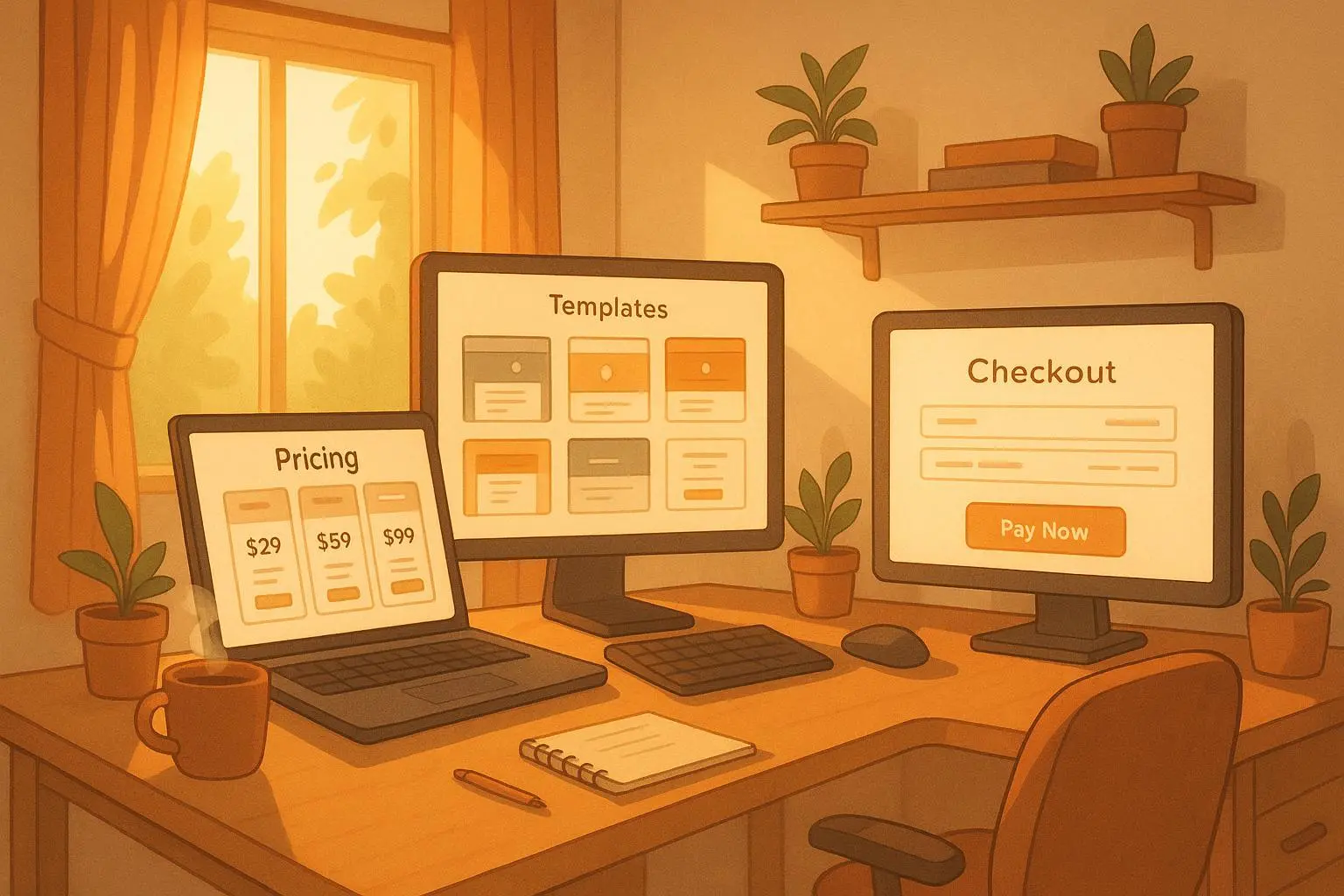
- Typical price bands: Starter around $29–$79, Pro bundles $149–$399, Studio licenses $799–$1,999 depending on depth and support.
- Expected margins: 60–85% after platform fees and development time, depending on the template’s complexity and the platform.
- Conversion signals: clear before/after visuals, a concise outcomes-focused description, and a short tutorial that proves usage in minutes rather than hours.
These aren’t hard and fast rules, but they give you a practical map. You’ll adjust as you learn more about your audience, but starting with this range helps you set expectations for your first few launches.
The references that shaped this approach
- The Creator Economy Shift: Productizing Expertise for Scale. Digital Insights Group, 2023.
- Perceived Value Pricing in Digital Goods Markets: An Empirical Study. Journal of E-Commerce Research, 2022.
- Subscription Models and Digital Asset Longevity. Digital Commerce Institute, 2024.
And the voices from the field that fed the stories above:
- @PixelPioneer on Canva template success: 50 units in a month.
- @DataWizard_88 on the perils of customization limits.
- @Consultant_Exit on pricing templates at 10% of full proposal value.
- @StrugglingSeller on the importance of solid mockups.
- @MarketingMaven on platform targeting for B2B templates.
- @DIY_Creator on the value of marketplaces for visibility.
- @TechSupportPro on iteration and feedback-driven sales.
If you want to dive deeper, the notes above reflect patterns I’ve seen across hundreds of conversations, experiments, and launches. The takeaway is practical: start with a focused niche, wrap your knowledge in a robust, customizable template, price it for the outcomes buyers care about, and promote it by showing real transformations.
What comes next for you
If you’re ready to test the waters, here’s a simple, repeatable starter project:
- Choose one business problem you actually solve well with a template. It should be something you can demonstrate in 2–3 minutes of restore-and-run time.
- Build a minimal Starter Kit that clearly shows the outcome. Add a Pro Bundle that enhances the workflow and an optional Studio license for advanced users.
- Create a 2–3 minute explainer video and a clean before/after screenshot. Use the visuals to anchor your value proposition.
- Launch with a limited audience. Collect feedback, publish a couple of quick updates, and use those wins to juice your next launch.
If you do this, you’ll see the same pattern many successful template sellers rely on: leverage your expertise, reduce buyer risk with clear outcomes, and keep iterating based on real user feedback. The sky isn’t the limit; it’s the starting line.