Focus Zone on a Shoestring: Create a Dedicated Work Nook in Shared Spaces
Feb 28, 2026 • 9 min
You don’t need a spare room to get serious work done. You need a reliable signal—something small, repeatable, and hard to ignore—that tells your brain (and your roommates) “this corner is for work.” I’ll show you how to build that signal on a shoestring budget, how to defend it from noise and interruptions, and how to test whether it actually improves your deep-work sessions.
If you want the short version: pick a spot, give it boundaries, manage sound, make setup painless, and measure the results. Below I break that into practical steps with examples, cheap product ideas, and a short story about when this saved my deadlines.
Why a tiny physical boundary matters
Cal Newport calls deep work the ability to focus without distraction on a cognitively demanding task. That’s easier when your environment supports it. Even a tiny visual boundary—a screen, a curtain, a plant-backed shelf—changes how your brain responds. It’s not magic. It’s conditioning: you train your mind to associate that setup with work, not lounging.
Two practical consequences:
- You’ll start the workday faster because the environment primes you.
- You’ll have an easier time ending work because tearing down the setup signals “day over.”
Those transition rituals are underrated. They’re not just dramatic; they lower cognitive friction.
Step 1: Choose one consistent spot (yes, even if it’s small)
Pick a single corner or edge of a room and stick with it for at least two weeks. Consistency beats perfection.
Why? The brain loves patterns. If your desk moves every day, so will your attention. If it lives in the same spot, your brain learns the cue faster.
How to choose:
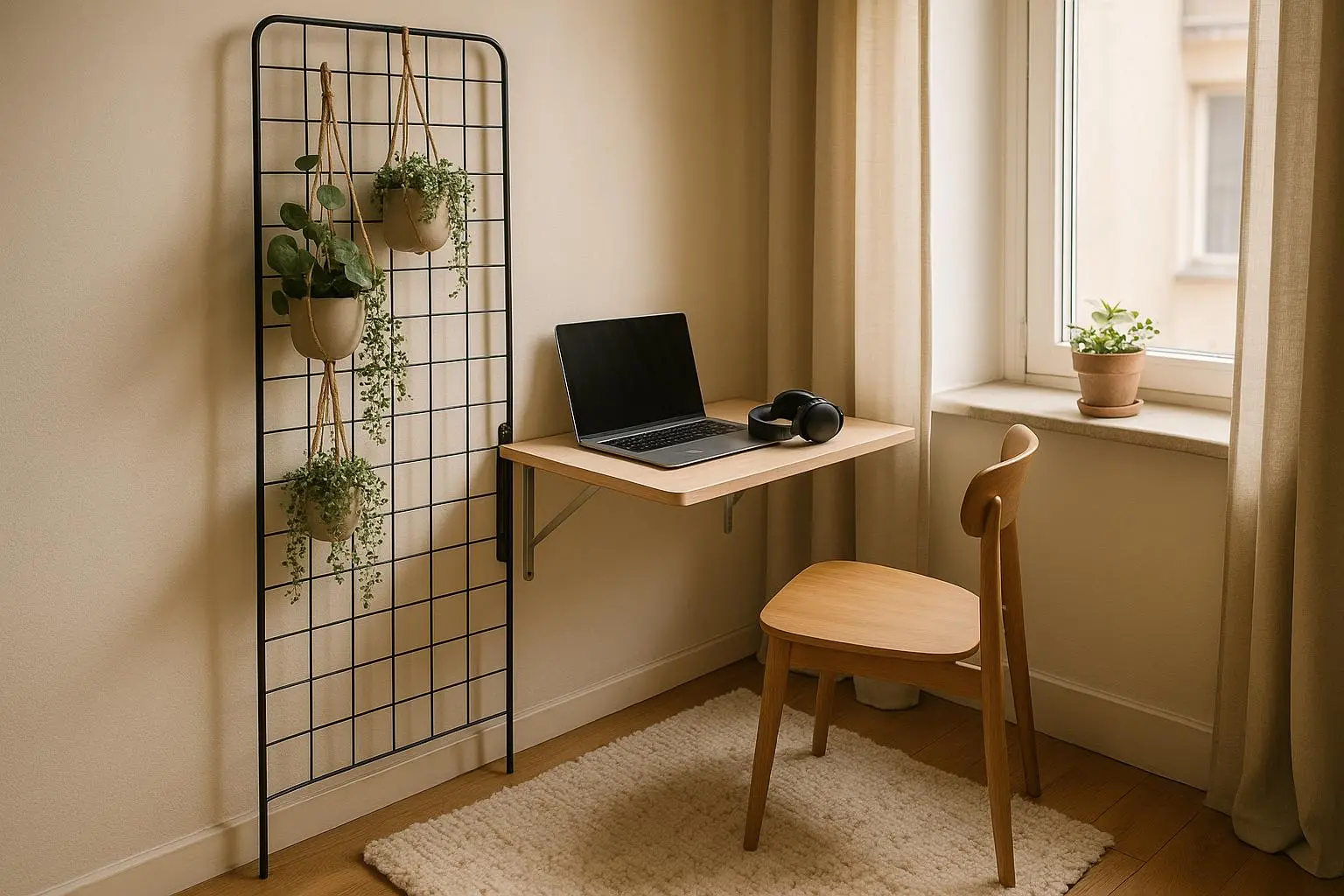
- Prefer a corner or wall-facing spot to limit visual clutter.
- If you can face a window without getting distracted, that’s a plus.
- Don’t pick the busiest pathway of the apartment—choose a place people naturally avoid.
Quick idea: take one photo of the spot before your first session, and one every week. Visible progress helps keep you honest.
Step 2: Establish visual boundaries that don’t scream “renovation”
You don’t need drywall or permits. Small, portable anchors do the heavy lifting.
Cheap and effective boundary options:
- Folding screen or thrifted room divider: $20–$60 at thrift shops or online marketplaces.
- Tension rod + curtain or sheet: under $20, instant studio-cloister.
- Tall plant(s) or stacked boxes/books: gives height and absorbs visual noise.
- Low bookshelf as a partial barrier: doubles as storage and a “wall.”
What matters is signal strength, not opacity. Even a thin curtain or a bookcase that’s 3/4 height changes the visual field enough to say “this is work.”
Micro-moment: I once used a curtain I bought for $12. The first day I pulled it closed, my partner asked, “Are you at the office?” That little exchange—two words—made my whole week feel official.
Step 3: Portable anchors and the “one-bag” setup
If space must be cleared at the end of the day, make setup and teardown frictionless.
The “one-bag” ritual:
- Choose a medium tote or a small rolling caddy.
- Keep essentials in it: chargers, notebook, dedicated mouse/keyboard, headphones, diffuser or small lamp.
- Leaving the bag in the same spot makes the setup feel ritualized.
Why it works: ritual matters as much as ergonomics. Pulling the bag out is a mental switch. Putting it away is closure.
Practical tip: keep cables simple. A short power strip and one multi-plug adapter save you from hunting for outlets. Label chargers if multiple people share power strips.
Step 4: The sound strategy — mask, signal, then negotiate
Sound is the number-one sabotage for focus in shared homes. Silence is expensive; masking is cheap.
Three layers:
- Personal layer: noise-cancelling headphones or earplugs. Best for individual control. You don’t need the $300 pair—decent ANC is available around $80–$150.
- Ambient layer: sound masking using apps like Noisli or Tide, or a cheap white-noise machine. These create consistent sound so sudden noises don’t pop your attention as often.
- Social layer: simple non-verbal signals and short agreements with housemates (e.g., “If the door sign is on, please avoid non-urgent interruptions for the next 60 minutes”).
When masking fails: have a fallback. If someone must make a loud call near your nook, pause and re-slot the work. Build flexibility into your day—short sprints of deep work are often more realistic than trying to get a 3-hour uninterrupted block.
Real talk: noise-cancelling headphones don’t fix everything. They reduce the problem but don’t eliminate the stress of potential interruptions. That’s where communication and scheduling come back in.
Step 5: Lighting, comfort, and clutter control (don’t overcomplicate ergonomics)
You don’t need an ergonomist—but small changes matter.
Lighting:
- Combine natural light with a small, adjustable desk lamp.
- Use warm bulbs for late afternoon to reduce eye strain.
- Avoid positioning light directly behind your monitor to cut glare.
Comfort:
- Use a lumbar pillow or a padded seat if you can’t afford an ergonomic chair.
- Consider a cheap laptop riser plus an external keyboard to avoid neck strain.
Clutter control:
- A narrow shelf, small baskets, or a three-drawer rolling unit keeps things off shared surfaces.
- Keep the desktop to one “current project” item—more visual clutter equals more cognitive load.
Pro tip: I keep a $15 caddy for post-it notes, pens, and chargers. It sits on the barrier shelf. When guests come over, I put the caddy in a drawer and the space looks tidy fast.
Step 6: Quick teardown routine (the end-of-day signal)
Ending the workday is as important as starting it. Use a simple teardown ritual to separate work from life.
A teardown checklist (under 90 seconds):
- Close curtain/screen or fold divider back.
- Put laptop and peripherals in the one-bag.
- Turn off task lamp and push the chair in.
- Jot one task for tomorrow in a notebook (2–3 minutes max).
The act of doing these three or four things gives closure. I treat teardown like a closing bell. It’s small, but it prevents the “I’ll just do one more thing” trap.
Step 7: Measure it — does your nook actually improve deep work?
Don’t rely on feelings. Run a quick, two-week test.
Simple metrics:
- Pomodoro counts: How many uninterrupted 25-minute blocks do you complete per day in the nook versus before?
- Deep-work minutes: Track total minutes using Toggl or a spreadsheet.
- Subjective energy: At the end of the day, rate mental fatigue on a 1–5 scale.
What success looks like:
- A 25–50% increase in uninterrupted Pomodoros is a strong signal.
- Fewer context switches per hour.
- Less mental exhaustion at day's end.
If the numbers don’t move, iterate:
- Try a different spot in the room.
- Add or remove boundary elements.
- Fix a persistent noise source with a social agreement, not more tech.
A short real story — the deadline that the curtain saved
Last year I had a three-day sprint to finish a product spec that required long, uninterrupted thinking. I live in a small two-bedroom with a partner who works hybrid and an often louder neighbor. We had a corner in the living room that doubled as our dining table. For the sprint, I rigged a tension rod and an opaque curtain across the corner, put my laptop on a laptop stand, and used a rolling caddy as my “desk.” I also left a small printed sign on the curtain: “Deep Work in Progress — 9–12.”
On day one, the curtain alone made more difference than I expected. My partner respected the sign. I completed six Pomodoro cycles before lunch—my previous average was three. On day two the neighbor had a delivery and a loud drill for 40 minutes, but the curtain plus a brown-noise track kept my focus steady. I finished the spec two days early.
The lesson: the physical and social signals mattered more than any gadget. The curtain cost $10. The caddy was an old makeup organizer. The spec meant a promotion opportunity that saved me weeks of extra work later. Small investment, large outcome.
Common pitfalls and how to avoid them
- Treating the boundary like a decoration: If you don’t use the spot consistently, move it. Commitment matters.
- Over-engineering soundproofing first: Start with social agreements and masking; spend on tech later if needed.
- Letting kids or pets repurpose the boundary: Expect negotiation. A gentle rule (and occasional reward for good behavior) beats enforcement alone.
- Skipping teardown: If you never close the loop, work leaks into evening and your brain never refreshes.
Tools and budget ideas (realistic price ranges)
- Tension rod + curtain: $10–$25
- Thrifted folding screen: $20–$60
- Rolling cart / caddy: $20–$40
- Basic ANC headphones: $80–$150
- White-noise app (Noisli, Tide): free to $5/month
- Small desk lamp: $15–$30
- Laptop stand: $10–$25
Total starter cost: you can get meaningful improvement for under $100 if you shop thrift and prioritize the curtain + caddy + masking app.
When to escalate: making the nook permanent
If your tests show consistent gains (more Pomodoros, less fatigue, fewer interruptions), consider small permanent upgrades:
- Swap a folding table for a narrow desk.
- Install a permanent curtain track where allowed.
- Invest in an ergonomic chair or a monitor for longer-term comfort.
A staged approach (trial → test → invest) prevents wasting money on the wrong setup.
Final thoughts — make it your little ritual
The trickiest part of shared-space focus is consistency. The best setups are boring: the same spot, the same bag, the same teardown. That repetition trains your brain and makes deep work available on demand.
If I could give you one thing to do tonight: pick a corner, hang a curtain or place a bookcase, and create a one-bag with your essentials. Try two weeks of real tests—track Pomodoros, log interruptions, and notice how you feel. Small, cheap tweaks add up faster than big redecorations.
Make your nook a promise to yourself: three focused, distraction-free stretches of work that actually move the needle. You’ll be surprised what a $20 curtain and a clear signal can buy—a few hours of uninterrupted thought, which for most of us is priceless.