Beginner's Guide to Calendar Buffers for Team Productivity
Apr 7, 2026 • 9 min
If you’re new to Transition UX, calendar buffers are the quiet, behind-the-scenes switch that actually makes collaboration feel easy. They’re not glamorous, but they’re incredibly practical: small blocks of time between meetings that protect focus, reduce fatigue, and keep throughput honest. I’ve seen teams slip from sprint to sprint with a little more clarity, a little less chaos, and a lot more human energy. This is how to get there without breaking the ship.
The idea in plain language
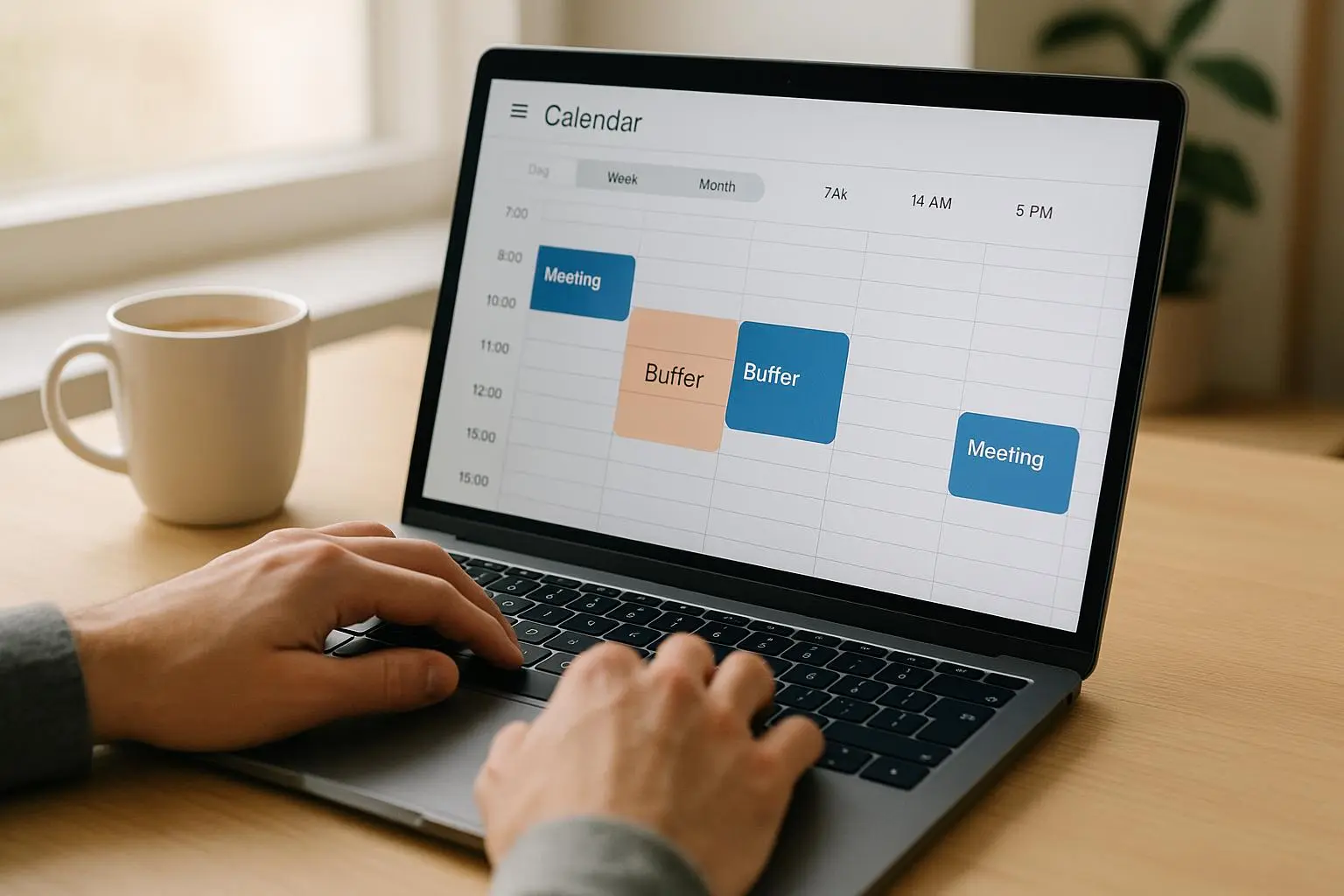
A calendar buffer is a built-in gap you insert between meetings. Think 5, 10, or 15 minutes. Not a luxury break, but a cognitive reset. It’s your brain’s pit stop between tasks: a moment to jot a quick note, breathe, reset, and prepare for whatever comes next. On its surface, it sounds tiny. On the ground, it changes the rhythm of an entire workday.
I learned this the hard way during a six-week project where we shifted from back-to-back meetings to a more thoughtful cadence. The first week, everyone clung to the old 50-minute slots because that’s what they were used to. By week two, we’d started trimming meetings by five minutes to create buffers. It wasn’t dramatic, but the effect was palpable: fewer interrupted threads, better notes, and calmer energy in stand-ups. The buffers didn’t just protect time; they protected decision quality.
A quick micro-moment that stuck with me: I was scheduling a weekly planning session and realized I’d left exactly 12 minutes between the last slide and the next client check-in. It felt arbitrary until I watched the team lean into those twelve minutes—an extra sip of coffee, a sharpened bullet list, a phone check-in to clear a quick blocker. It wasn’t perfect, but it was a hint: the exact length matters less than the discipline of having one.
And yes, this matters whether you’re remote, in-office, or hybrid. The goal isn’t to cram more into a day; it’s to give people space to reset without feeling like they’re constantly playing catch-up.
How to design buffers that actually stick
Here’s how I approach buffers with real teams, using a Transition UX mindset: make the change feel seamless, provide a clear rationale, and measure the right things so you know you’re moving in the right direction.
1) Set a default, not a gimmick
The easiest win is to bake buffers into the calendar system as a default. If you’re on Google Calendar or Outlook, your default meeting duration should shorten just a touch to create a buffer after it. For example:
- 30-minute meetings become 25 minutes, leaving a 5-minute buffer.
- 60-minute meetings become 50 minutes, leaving a 10-minute buffer.
This is a subtle, non-disruptive change. People don’t have to remember to add buffers, and the system helps preserve focus time without relying on heroic self-control.
In one of my teams, we started with 5-minute buffers after every meeting. The first week, a few people grumbled that it cluttered the day. We ran a quick survey and found the majority appreciated the extra minute to log follow-up notes, switch contexts, or simply stand up. By week three, the mood shifted. People stopped rushing from call to call and started tidying up notes in the buffer, which improved the quality of handoffs.
2) Use nudges, not mandates
You don’t want a policy that people feel forced to bypass. Nudges are small prompts that steer behavior without heavy-handed enforcement.
- Calendar nudge: Rename slots to reflect the buffer, e.g., “30 min meeting + 5 min buffer.” It’s a clear cue that there’s a pause built in.
- System nudge: Use tools like Clockwise or Reclaim AI to auto-block buffers and alert users if a meeting runs over into the next block.
The science behind nudges is simple: people respond to context and framing more than they respond to rules. Thaler and Sunstein’s work on nudges is the backbone for why this approach works without creating friction.
3) Pilot, then socialize the change
Don’t dump this on the entire org at once. Start with a single team or a cohort of teams that share similar rhythms: product, design, and a few cross-functional squads.
- Week 1: Run a two-week pilot with 10–15 people. Use 5-minute buffers for standard meetings, and track events with simple metrics: on-time starts, note completion, and perceived focus time.
- Week 3: Expand to adjacent teams. Gather qualitative feedback. If a team wants longer buffers for heavy collaboration days, consider a 10-minute option as a pilot.
- Week 6: Decide on a broad rollout with room for exceptions where external clients demand longer sessions.
A real-world lesson: resistance is often cultural, not technical. Leaders who model respectful use of buffers—ending meetings on time to preserve buffer time—help crystallize the behavior faster.
4) Start with starter scripts and simple metrics
People want to know what to say and what to measure. Here are two starter scripts you can adapt for internal comms:
- Announcement script: “We’re piloting a new Buffer Time policy starting next Monday. All 30-minute meetings will now default to 25 minutes, and 60-minute meetings to 50 minutes. The extra 5–10 minutes is time for breaks, note-taking, and prepping for the next task. This isn’t a break; it’s focus time that helps us maintain momentum and quality.”
- Leadership example script: “We’re ending this meeting early to respect everyone’s buffer time. If you need more time for a discussion, schedule another session with explicit focus of that topic.”
And here are a few starter KPIs to track. They’re not fancy, but they get you what you need to decide if this is working.
5) Measure what actually matters
The big question is: does the buffer policy improve focus, or just shuffle around the schedule? The best way to answer is to track both quantitative and qualitative signals.
Quantitative indicators:
- Meeting punctuality rate: What percentage of meetings actually start on time? If buffers are working, this should rise as start times become more predictable.
- Focus time blocks: How many uninterrupted focus blocks (e.g., 90+ minutes) do people report weekly? This captures the cognitive rest a buffer provides.
- Task completion rate: Are high-priority tasks slipping earlier in sprint cycles, or are they finishing more consistently after buffering?
Qualitative indicators:
- Employee stress scores: Anonymous surveys about perceived meeting fatigue and stress levels.
- Meeting quality scores: After meetings, quick ratings on how prepared participants felt and how clear decisions were.
In practice, we combined a quick pulse survey at the end of the week with a dashboard that tracks meeting lengths and start times. The early signals were mixed—some teams loved the rhythm, others fought the new timetable. Over a couple of sprints, the data swung positive as habits formed and leadership consistently modeled the behavior.
6) Handling disagreements and edge cases
You’ll hear:
- “This makes scheduling messy with external partners.”
- “We can’t do this for customer-facing meetings; clients want the full hour.”
Both are valid. The trick is to separate internal defaults from external exceptions. Here’s a practical approach:
- Maintain a global default buffer for internal meetings.
- When an external partner is involved, allow the organizer to override the buffer only when truly necessary, with a note in the calendar event explaining the exception.
- Build a “dynamic buffer” concept for meetings that carry heavy content. If a meeting is more than 60 minutes and heavily technical, allow a longer buffer (e.g., 10–15 minutes) for that session, but keep it localized to that meeting rather than a universal change.
This keeps the policy humane and adaptable, which reduces pushback and increases long-term adoption.
A real-world story from my own practice (100–200 words)
A year ago, I joined a product team that sprinted from one Zoom link to another. We believed we were maximizing output by stacking meetings back-to-back. The first two weeks, we pretended buffers weren’t necessary and kept the original durations. Then a senior designer walked into a planning session with a coffee stain on a report and a glare that said, “We’re burning out.” We paused.
We implemented a 5-minute default buffer between all internal meetings and forced ourselves to end every meeting on time. We also added a 10-minute buffer after our most technical sessions, where notes and decisions needed immediate capture.
Within two sprints, something clicked. People stopped rushing to the next call, and the quality of notes improved because there was time to type up decisions while the memory was fresh. By the end of the quarter, burnout surveys showed a noticeable dip, and our sprint velocity didn’t suffer; it improved as people started the next task with a clear, short brief in hand. The buffers were a tiny nudge, but they changed the rhythm of how we worked.
A small aside that stuck with me: I realized I schedule a “buffer check” in every calendar invite. It’s a reminder to pause, review what’s next, and ensure I’m actually ready for the next conversation rather than sprinting into it with fatigue.
Practical starter scripts you can steal
- Communication email (short and human):
- Subject: Testing a new Buffer Time policy for our meetings
- Body: “Starting next Monday, we’re piloting a ‘Buffer Time’ policy. 30-minute meetings will be 25 minutes, 60-minute meetings will be 50 minutes. The extra 5–10 minutes is for breaks, notes, and preparation. This is about protecting our focus and improving decision quality, not trimming productivity.”
- Team meeting kick-off (one sentence per point):
- “We’ll respect buffers by ending on time.”
- “If a discussion needs more time, schedule a follow-up with clear outcomes.”
- “Bring your notes to the buffer so decisions are captured.”
- Leadership example (for managers):
- “We’re modeling buffer-friendly behavior today. I’ll end the meeting early to honor your focus time, and I expect you to do the same.”
Measuring success without turning it into a numbers game
The math is helpful, but the story matters more. Use KPIs as signals, not as shackles. If you notice a dip in morale, pause the rollout and reframe the rationale for buffers. If focus time is rising while delivery pace stays solid, you’ve found a sweet spot. If you’re chasing per-minute precision and losing human judgment, you’ve gone too far.
A couple of concrete tips:
- Tie buffers to concrete outcomes, not abstract goals. For example, “We’re aiming for 70% of meetings to start on time and for team members to report fewer interruptions in the second half of the day.”
- Leave room for iteration. A 5-minute buffer might be perfect for one team and too little for another. Create a “buffer family” you can adjust with minimal friction.
What this looks like in practice, week by week
- Week 1: Default buffers in place for internal meetings. One-sentence reminder in team chat about the change. Collect quick feedback via a one-question poll.
- Week 2: Nudges turned on. Calendar events show “+ buffer.” Leaders model ending on time.
- Week 3: Expand to adjacent teams. Start talking about dynamic buffers for high-intensity days.
- Week 4–6: Review metrics. If focus time is increasing and meeting quality scores are up, extend rollout. If not, adjust buffer lengths or allow a small number of exceptions.
- Week 7 onward: Full adoption with periodic reassessment. Consider a variant for cross-functional off-sites or campaign launches where longer buffers may be useful.
Potential objections and how to respond
- “The buffer makes my calendar look cluttered.”
- Answer: It’s a representation of time, not a disorganization. It’s there because people deserve a moment to reset. If external partners feel crowded, use the override option with a short note.
- “We work with customers in different time zones; buffers will ruin our cadence.”
- Answer: Start with internal defaults to protect focus time, but make cross-border scheduling flexible. The goal is to protect cognitive load, not rigidly constrain collaboration.
- “This takes away meeting value.”
- Answer: It’s not about shrinking collaboration; it’s about better preparation. Buffers give teams a moment to capture decisions, write notes, and align expectations, which often makes the next meeting more productive.
A quick note on the science and why this works
- Context switching is real. Jumping from one topic to another imposes cognitive costs that can double error rates on complex tasks. Buffers give your brain a moment to reset, reducing that switch cost. This isn’t just feel-good management lore; it’s grounded in how attention, memory, and task rules interact in real work.
- Nudges help people make better choices without feeling policed. Small prompts can shift behavior enough to create durable habits.
- Treat implementation as a UX challenge: remove friction, simplify adoption, and provide a visible path to success. When teams experience the benefit of preserved focus, adoption compounds.
Quick start checklist
- Decide default buffer lengths (5–10 minutes after standard meetings).
- Turn on calendar nudges or automation to enforce buffers.
- Run a two-week internal pilot with one or two teams.
- Create starter scripts for announcements and leadership examples.
- Define 2–3 simple KPIs (start times, focus blocks, and perceived stress).
- Gather weekly feedback and adjust buffer lengths if needed.
- Plan a broader rollout with a clear exception policy for external meetings.
If you’re thinking, “This could never work for our org,” I get it. It’s a different rhythm, and every team has its own tempo. What matters is starting with a small, low-friction change and letting the data—and the team’s lived experience—guide the next step.
What I’d do next, personally
If I were rolling this out again with a distributed team, I’d pair buffers with a lightweight async-first trial for internal coordination. We’d test a “buffer-first day” once a week where meetings are intentionally moved earlier or later, freeing a larger block for deep work. We’d measure not just the calendar metrics but the actual quality of outcomes: decisions made, notes captured, and follow-ups completed.
If you’re curious about deeper automation, consider a pilot with dynamic buffers that adjust based on meeting type or topic (more on this in a future post). Tools like Reclaim AI and Clockwise are worth a look, especially if you’re juggling multiple time zones and complex client calendars.
And if you want a quick win, start with the simplest version: a 5-minute default buffer after every internal meeting. It’s small enough to fail fast, big enough to feel real, and easy to communicate.