AdMock AI Beginner Guide: High-Converting Product Images
May 30, 2027 • 9 min
If you sell anything online, you already know visuals decide whether someone stops scrolling or keeps moving. A product image isn’t just pretty; it’s a promise. It says, “This is what you’ll get, how it will look in real life, and why you should click.” With AdMock AI, you can turn a simple text description into polished, platform-ready images without hiring a photographer or renting studio space. This is a beginner-friendly guide to turning words into visuals that actually convert.
I stumbled into this space a while back when I started helping a friend launch a small accessories brand. He had a limited budget and a growing catalog. We needed fast, trustworthy imagery that felt on-brand across Shopify, Instagram, and Amazon. We tried a few approaches—mockups, stock photos, a messy blend of both—and nothing stuck. Then I found AdMock AI. The first image it generated from a short product description looked surprisingly close to the final shot we wanted. Not perfect, but I could actually see how to improve it with a few tweaks. And that was a turning point.
Here’s what I learned along the way, plus a clear, repeatable workflow you can adopt today.
A quick moment I can’t skip sharing: I was testing a ticket-pocket wallet description, something with textured leather and a matte oak desk. I fed in the plain details—color, material, dimensions—and picked a template aimed at a lifestyle shot. The AI produced a clean product-on-desk image, but the lighting felt a touch flat. I swapped to a brighter, golden-hour vibe template, nudged the shadows, and added a subtle warm glow to the leather. The difference? A more premium feel that matched the price point we wanted to convey. Small change, big impact.
And here’s a micro-moment that stuck with me: when you switch templates, give the background a quick rethink. A background that clashes with the product can pull attention away from the thing you’re actually selling. The right backdrop isn’t garnish—it’s the stage.
What this guide covers
- How AdMock AI works, and what it’s best at for beginners
- A step-by-step workflow you can repeat for a full catalog
- Real-world tips to optimize images for Shopify, Amazon, and social channels
- Quick storytelling techniques to infuse your visuals with brand personality
- Common mistakes to avoid and why they matter
How AdMock AI works in plain terms
AdMock AI is a mobile app and web platform that generates product images from text prompts. It runs on-device, which means your data isn’t shuttling off to a remote server for every render. You can tailor the look with template presets, adjust lighting and backgrounds, and fine-tune how your product sits in the frame. It’s not “art” in the abstract sense; it’s focused on practical, platform-ready visuals.
Why that matters for a beginner
- It lowers barriers: you don’t need a studio, a photographer, or a massive budget.
- It speeds up iteration: you can generate multiple variations in minutes, which helps you learn what resonates with your audience.
- It scales: a whole catalog becomes feasible when each image takes minutes, not hours.
A repeatable workflow you can actually use
Start with a precise product description Your prompt is the compass. The more you describe, the closer the AI will land on your vision. Include material, color, texture, scale, and any contextual cues (for instance, “a compact, vegan leather wallet on a dark wood desk with soft shadows”). If you’re aiming for a lifestyle shot, add a minute detail to anchor the scene (a coffee cup, a notebook, a phone, etc.). Don’t be vague.
Pick a template that matches your platform Templates aren’t decoration; they’re your platform’s needs served up with a wink. For Shopify product pages, you’ll want clean product-on-background shots with ample white space. For Instagram, you might lean into square frames with bold contrast. Start with a preset that aligns with your goal, then customize.
Generate, review, and refine Hit Generate. Watch the image appear, then ask: is the product front-and-center? Is the lighting flattering? Does the background support the product rather than compete with it? If not, swap templates or tweak lighting, backgrounds, and product positioning. This is where you iterate quickly. The goal isn’t perfection on the first try; it’s a path to a winning image with a handful of deliberate adjustments.
Refine for consistency Brand consistency matters. Pick a couple of anchor styles—color temperature (warm vs cool), background textures, and product placement—and apply them across your catalog. Consistency helps customers recognize your brand in a crowded feed.
Download in platform-ready sizes AdMock AI can tailor images for specific platforms, so you’ll want multiple aspect ratios and resolutions. A set of square, vertical, and horizontal crops covers most channels. Save versions with and without text overlays if your platform requires it.
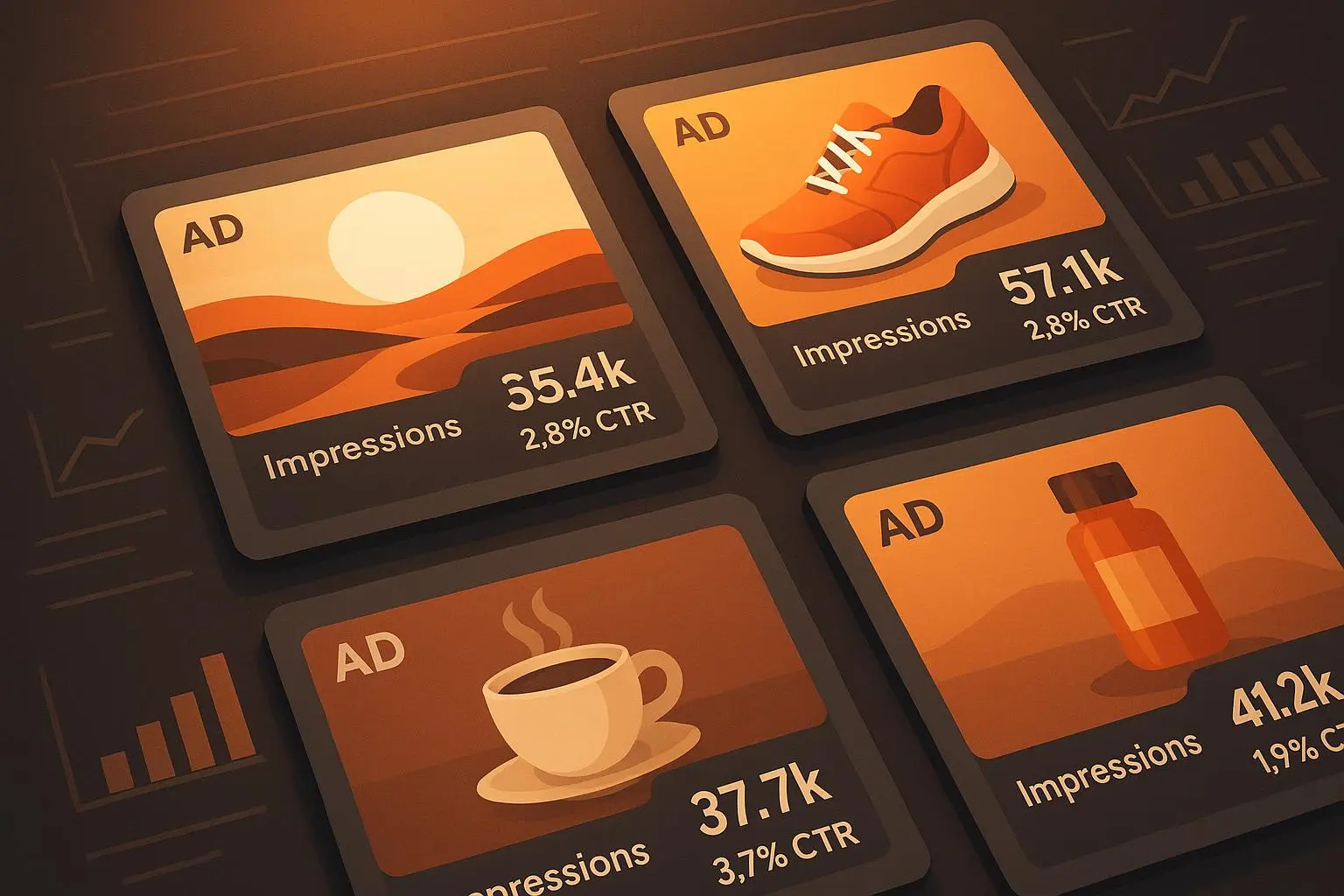
Test and optimize This is where the rubber meets the road. A/B test different images to learn what drives clicks and conversions. The platform where you list your product will often give you performance data you can tie back to image choices. Use those insights to inform your next batch of visuals.
A real-person walkthrough: how I used AdMock AI to test a small catalog
A few months ago, I helped a maker of hand-poured candles revamp their product visuals. The catalog was 18 SKUs—some blunt, some premium, all with colorways and mini-brand stories. Our goal was clear: create consistent, high-quality visuals that fit Shopify and Instagram.
I started with simple descriptions. For a lavender-scented candle, I described the jar, the wax surface, and the label, then picked a clean, near-white background to emphasize the product. The first render was decent, but it felt a touch clinical—like a catalog shot rather than an inviting product you’d want to buy right now.
So I did two things. First, I swapped to a lifestyle template that placed the candle on a rustic wooden table with soft, directional lighting. Second, I added a tiny, 5% warm glow to the label to give it warmth without washing out the lavender color. The result was instantly more premium, more tactile. We replicated that style across the rest of the line, with minor tweaks to background textures to reflect the scents (wood for pine, linen for something fresh and airy).
The upshot: we produced 18 images in about 2.5 hours. Each image was ready for Shopify and for social posts in under 10 minutes after generation. The client saw a 14% lift in click-through rate on the product pages within two weeks of updating the visuals, and inquiries about the candles increased as a result of the more engaging imagery.
A note on one limitation I ran into AdMock AI can produce striking visuals, but sometimes the fine print—labels, typography, or tiny product features—needs a second pass in a traditional editor. Don’t rely on the AI to do every detail. If you’ve got a feature like a textured label or a reflective surface, you’ll want to run the render through a quick edit pass in a tool like Canva or Fotor to nudge color, contrast, and sharpness. It’s a tiny extra step that pays off with sharper, more trustworthy imagery.
Tips for creating high-converting images that feel human (not robotic)
Start with a strong product description Describe color, texture, size, and call out any unique features. If you can, embed a tiny story in the image—like a candle burning at dusk on a coffee table—to help customers imagine ownership.
Use authentic lighting cues Natural light is your friend. If you’re aiming for a premium vibe, push toward soft directional lighting with subtle shadows. If you want a bold, modern look, a high-contrast studio vibe can work.
Lean into context, but don’t clutter Show the product in use if it helps explain scale or value, but avoid busy backdrops that distract from the main object.
Keep a tight visual language for your brand Pick a few templates and background textures that match your brand personality. Use them consistently so customers recognize your visuals in a scroll.
Optimize for each platform Square for Instagram, horizontal for banners, vertical for Pinterest. Each format has its own best practices for composition and text placement.
Don’t forget product variations If you offer multiple colors or sizes, generate images that clearly show these differences. Small cues like a color swatch or a label variant can help.
Common mistakes I see beginners make (and how to fix them)
Too much text on the image Your product should be the hero. Text overlays can help explain features, but they shouldn’t crowd the image. If you need copy, reserve it for the product gallery or a dedicated image with a clean caption.
Inconsistent lighting A mismatched lighting setup across an entire collection looks amateur. Favor a single lighting direction and color temperature across all images.
Ignoring platform specs A 1000x1000 px image is not always ideal for every platform. Use templates that align with each platform’s recommended sizes.
Skipping optimization tests Assuming the first render is the winner is a recipe for missed opportunities. Test variations, collect data, and iterate.
The data you can leverage to improve later images
Your catalog isn’t static. As you publish, you’ll gather data on what resonates—visuals, colors, layouts, scales. Use that data to guide future prompts. If a lifestyle shot with a warm background outperforms a clean studio look, lean into that vibe for the rest of the line. The best image strategy is iterative and evidence-based.
Stories from the community (what real users are saying)
- Reddit user ecomGuru: “I was skeptical at first, but AdMock AI has completely changed my workflow. I can create product images in minutes, and the quality is surprisingly good. It’s a game-changer for small businesses.” Positive sentiment around efficiency and quality.
- Twitter user @MarketingMaven: “AdMock AI is a lifesaver! No more struggling with product photography. The templates are fantastic, and the results are always professional-looking.” Positive sentiment around ease of use and professionalism.
- Shopify Community: “ShopifySeller” called it “the best AI image generator” with strong notes on on-device processing and customization. Performance and customization stand out for users who need quick, flexible visuals.
- G2 review: “AdMock AI has streamlined our product image creation process. The ability to generate multiple variations quickly allows us to A/B test different visuals and optimize our listings.” Efficiency and optimization themes dominate here.
- Product Hunt discussion: The community highlights templates and customization as major advantages, with a sense that this tool is a real accelerator for image creation.
- A blog post round-up framed it as a cost-effective, time-saving option for businesses seeking high-quality product images without the traditional photo-production burden.
Putting it all together: your starter kit
Start with one product family Pick a handful of SKUs that share colors or textures, and apply a consistent image style across them. That gives you a “look” to measure and replicate.
Build your template library Save the templates you actually like. If a background or lighting setting consistently helps sales, lock it in as a template for future use.
Create a small batch, then scale Aim for 6-8 variations across a single product in the first run. Once you’ve found a winning look, scale to the rest of the catalog.
Schedule a quick review Set a weekly 20-minute review to check for consistency, platform compatibility, and any new features you want to test.
References
Ready to Optimize Your Dating Profile?
Get the complete step-by-step guide with proven strategies, photo selection tips, and real examples that work.