Troubleshooting Developer Utilities AI: Fix Common Pitfalls and Mistakes Quickly
Nov 13, 2026 • 9 min
You rolled out an AI coding assistant, SAST scanner, or test-generator into your dev workflow expecting magic. Instead you got timeouts, weird snippets that reference tables that don't exist, and CI failures that make your pipeline scream.
You're not alone. These tools speed things up when they work—but they also introduce a new class of failures. The good news: most of those failures are predictable and fixable. In this post I'll walk through the problems I see most often (integration, context errors, false positives, latency), show concrete fixes, and share the exact checklist I use when I need to get an AI utility back to useful within an hour.
Why this matters (short and practical)
AI utilities change the shape of work: more automation, more suggestions, more surface area for confusion. If you tolerate broken AI tools, developers lose trust and stop using them—then you’ve wasted budget and momentum. Fixing this quickly keeps velocity high and preserves the productivity wins.
The playbook I use (one-sentence version)
When an AI tool breaks, don't chase random fixes. Do these three things, in order:
- Verify connectivity and credentials.
- Reproduce the failure with minimal context.
- Apply targeted fixes—tune, whitelist, or change prompts—then validate in a sandbox.
Now for the deep dive.
1) Integration and setup: start here because most issues live here
If an AI tool can't talk to your environment, nothing else matters. I've seen teams spend a day chasing hallucinations that were actually network blocks.
What to check, quickly:
- API keys and scopes. Is the token expired? Does it have the right permissions? Rotate it and test with curl or Postman.
- Secret management. Are keys hardcoded in a file? Pull them from your vault (Secrets Manager, HashiCorp Vault, etc.), and test the service account independently.
- Firewall/proxy rules. Corporate networks often block outbound calls. Ask your NetOps team for IPs/domains and whitelist them. A single denied egress rule will look like a flaky model.
- IDE/plugin conflicts. Disable other extensions and test. Re-install the AI plugin and confirm compatibility with your IDE version.
A quick diagnostic command I use:
- curl -v https://{ai-provider-endpoint}/health -H "Authorization: Bearer $TOKEN" If that fails, the problem is network/auth, not the model.
If you find network blocks: document the ports and domains you need, and add them to your infra onboarding checklist. That saves three hours of tribal knowledge later.
2) Misconfigured snippets and context drift: the "it compiles but it's wrong" problem
AI generates syntactically fine code that doesn't fit your domain. This is the meat of prompt engineering and context hygiene.
Why it happens:
- The model lacks your schema, naming conventions, or internal invariants.
- Prompts are vague, leading the model to guess table names, function signatures, or deprecated APIs.
- Context windows get polluted—old comments or unrelated files change the model's assumptions.
How I fix it:
- Provide the minimal necessary context. Paste the function signature, a short schema snippet, and a unit-test the snippet must satisfy.
- Be explicit about versions and constraints: "Python 3.11, SQLAlchemy 2.0, avoid legacy Session API."
- Use iterative prompts: don't ask for a full module in one shot. Ask for a single function, run tests, then ask for the next piece.
- Add guardrails in the prompt: "Do not invent table names. Use this schema block exactly."
A real example: I once asked an AI to write a DB migration for a legacy product. It produced a migration that referenced a users_profile table that didn't exist. The root cause: my prompt mentioned "user profiles" in the README, which the model conflated with a table name. Fix: I rewrote the prompt to include the exact schema and said, "Only use table names from the block below." That one-line change prevented a bad migration and saved us from a rollback.
If you want a quick test for hallucinations: ask the model to produce a SELECT statement and then run it against a read-only replica. If it errors with "unknown column" or "table not found," it's hallucinating.
3) False-positive security flags: don't let scanners halt the pipeline
AI-driven SAST is amazing at surfacing issues early, but many tools overflag. That creates noise, slows CI, and angerizes developers.
A practical three-step approach:
- Calibrate the scanner. Use sensitivity settings. Scan only critical modules if you can't afford a full run every commit.
- Implement contextual whitelisting. Instead of disabling rules, annotate the code with an explanation why the finding is a false positive and link to evidence (tests, sanitizers, threat model).
- Human review protocol. Route critical flags to a senior engineer for quick triage rather than blanket suppression.
Concrete example I recommend:
- Add a policy file (e.g., .snyk or config) that maps rule IDs to scopes (paths) and confidence thresholds.
- For each whitelist, require a one-line justification in the same commit: "Whitelisted SNYK-2024-XYZ: Data sanitized upstream via sanitize_input() in RequestHandler."
Numbers matter: one team I worked with cut manual triage time by 60% after tuning and targeted whitelisting, but they still spent a day initially validating 50+ false positives. That's normal. Plan for that overhead.
4) Performance, latency and rate limits: don't let slow AI ruin flow
Developer flow is fragile. If the assistant regularly stalls for 5-10 seconds on every suggestion, people will stop using it.
Diagnose:
- Check provider status pages first. Providers have incidents; confirm it's not them.
- Are you hitting rate limits? Track API usage with dashboards or logs.
- Is the plugin fetching large context windows every time? Reduce the payload.
Fixes that work:
- Move non-critical features to batch operations. For example, do full-file refactors as a background task instead of inline suggestions.
- Shorten prompts. Ask for "the body of this function only" rather than "generate the whole module."
- Upgrade the plan if your team needs higher throughput. Free tiers are fine for experiments, not heavy daily development.
A micro-moment: once, while debugging a latency issue, I noticed the extension was attempting to include my entire 10,000-line log file as "context". Trimming the log to the last 200 lines dropped suggestion latency from 7s to 200ms. Tiny context changes can make a huge difference.
5) Tests, sandboxes, and validation pipelines: make the AI accountable
Treat AI outputs like external contributors. Don't merge without validation.
Tactics:
- Run generated code through unit tests and linters automatically.
- Use pre-commit hooks that flag risky patterns (e.g., use of eval, hardcoded secrets).
- Create a sandbox environment for trying out large refactors or schema changes before touching main branches.
A simple CI step I add:
- On PR with AI-generated changes, run triple checks: static analysis, unit tests, and a smoke test that hits a read-only replica. Fail fast if anything looks off.
6) Prompt engineering in practice (not theory)
Prompts should be structured, not poetic. Here's a template I use:
Context:
- One-line description of the service
- Code block with function signature and schema snippet
- Explicit constraints (language, framework, deprecated APIs to avoid)
Request:
- "Write just this function body. Use f-strings. Add one unit test that verifies X. Do not invent external table names."
Iterate:
- When the model is wrong, paste its output and say: "This output used Python 2 print statements. Convert to Python 3.11 and use typing annotations."
That iterative pattern drastically improves success rates versus a single large prompt.
7) Governance and policy: don't treat AI as magical or fully trusted
You need rules. For example:
- AI should never be the only validator for security-sensitive code.
- Keep an audit trail for whitelists and overrides.
- Document what classes of code generation are allowed: tests, boilerplate, refactors—but not initial implementations of critical auth code without senior review.
Make these rules part of code review checklists. Trust but verify.
How I learned this the hard way (real story)
At a startup I helped scale, we enabled an AI assistant across the team and celebrated the 30% jump in completion rates—until the first panic. One morning our staging DB filled with malformed rows after a newcomer accepted an AI-generated migration. The AI had guessed column types and created nullable columns where we needed NOT NULL. The rollback took three hours and a tense postmortem.
What fixed it: we added a migration sandbox job that runs migrations against a disposable replica and a migration-review policy requiring a human sign-off if a migration touches core tables. We also updated prompts: "When generating migrations, include a test that verifies schema constraints and do not change existing table column nullability without explicit confirmation." After that, migrations were safe again and trust returned.
The lesson: small changes to process and prompts stop big outages.
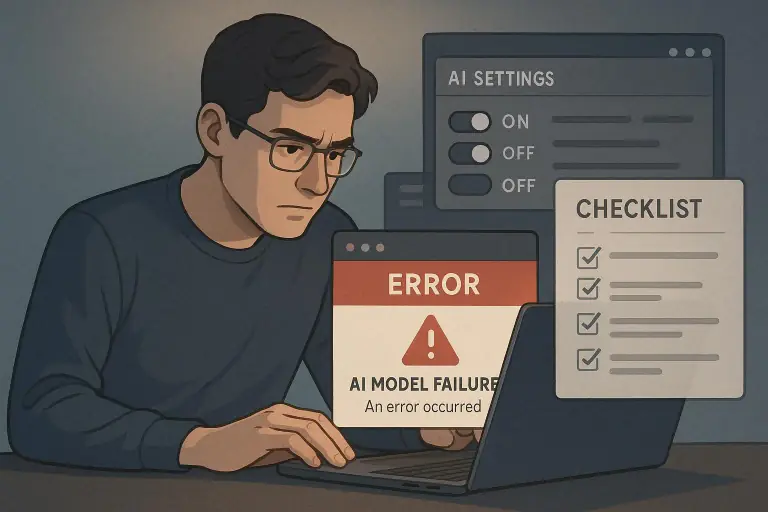
Quick checklist you can use (copy-paste)
- Verify API key and token scopes.
- curl the AI endpoint to confirm connectivity.
- Reproduce the issue with minimal context (one function).
- Add exact schema/constraints to the prompt.
- Run generated code through unit tests and linters.
- Tune SAST sensitivity and whitelist with justification.
- Add sandbox CI step for migrations/refactors.
- Monitor rate limits and consider plan upgrade.
When to rip it out and rethink
Sometimes the tool isn't the right fit. Consider replacing or pausing if:
- It causes more manual work than it saves (more than ~20% of dev time spent triaging its output).
- It introduces repeated security risk patterns that your team can't mitigate quickly.
- The vendor can't comply with your network or data residency needs.
Replace with a phased approach: pilot a new tool with a small team, measure time saved vs time spent triaging, then expand.
Final thoughts: AI is a teammate, not an autopilot
Treat the AI like a junior developer who needs onboarding:
- Give it precise briefs.
- Review its work.
- Build guardrails to prevent known bad behaviors.
If you do that, these utilities become force multipliers. If you don't, they'll sap trust and slow you down.
Fixing them quickly is mostly about process: connectivity checks, minimal repros, iterative prompts, and clear human review on security. Do those, and you'll get the wins without the drama.