Troubleshooting BirdCall AI: Common Pitfalls in Field Data and Audio Matching
Dec 22, 2025 • 8 min
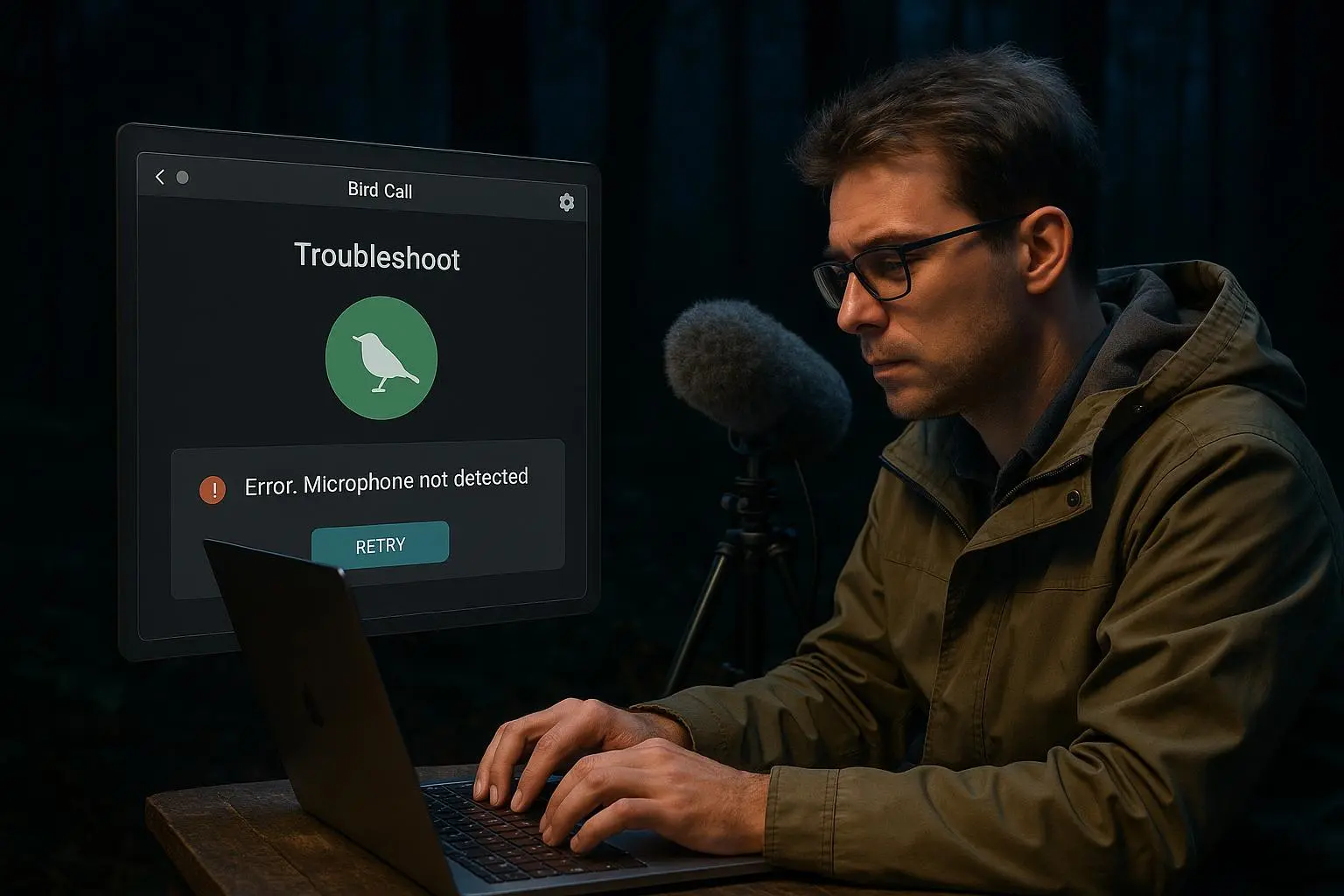
You bring a smartphone into the woods, launch BirdCall, press record, and wait for the magic. Sometimes it works. Sometimes it flat-out doesn’t.
If you teach ornithology or run a lab course that uses BirdCall AI, you’ll see both. I’ve taught ten field labs where students handed me clips that looked fine until the AI returned nonsense. That frustration is useful—if you know why it happens and how to fix it.
This post walks through the real, repeatable problems that break bird call identification, how to troubleshoot them in the field, and classroom-friendly ways to turn failures into learning moments.
Why BirdCall trips up (in plain English)
BirdCall’s core trick is simple: turn audio into a spectrogram (frequency over time), then match patterns to a trained library of bird calls. That’s machine learning and bioacoustics in a single workflow[1].
But two things control success: the audio you feed it, and the examples the AI learned from. Mess up either, and the AI struggles.
- Bad input = nothing to analyze.
- Incomplete training data = no right answer to match.
That’s why the same clip can be a slam-dunk one day and a garbage ID the next.
The field problems you’ll actually encounter
Here are the issues I see most in student recordings. I’ll be blunt: many are avoidable with a few habits.
Poor audio quality
- Wind, traffic, leaf rustle, or a group of chattering students swamp bird song. The AI can’t "hear" the target if the signal-to-noise ratio is low[1].
- I once had a student spend 45 minutes trying to ID a warbler; playback revealed a steady highway hum right under the song. We were chasing the wrong problem.
Microphone placement and settings
- Phones are omnidirectional. If you point at a bird from 20 meters, you’ll get half the environment and none of the detail.
- Directional mics help. Gain set too high clips; too low and you lose the call to background.
Distance and obstructions
- Sound weakens with distance and gets absorbed by foliage. Thick understory = muffled call.
Human observation errors
- Students often attribute a call to a bird they saw, not the bird that sang. If visual and audio cues don’t match, expect mismatches.
Overlapping and simultaneous calls
- Forests are noisy. Two or three species singing at once produce blended spectrograms. The AI may either give a mixed set of candidates or none at all.
Species that sound alike
- Closely related birds can produce near-identical calls. AI has a hard time when calls differ by tiny pitch or timing nuances.
Call variation
- Songs change by sex, age, geography, and behavior (alarm vs. mating). A model trained on mating songs may misread juvenile alarm calls[2].
Incomplete training data
- Rare vocalizations and regional dialects may be absent from the library, lowering confidence or leading to wrong IDs.
How the AI’s confidence works — and how to read it
BirdCall will often show a confidence percentage. Treat it like a clue, not a verdict.
- Above ~80%: high-quality match, but still verify visually when possible.
- 50–80%: likely a useful hint—cross-check with guides or another app.
- Below 50%: it’s a starting point for investigation, not a final answer.
In my classes, I require students to note confidence scores in their lab sheets and explain why they accept or reject an ID. That one habit teaches critical thinking faster than any lecture[3].
How I actually made this work (a classroom story)
In Year 3 of a field methods course I run, I paired students into sound/visual teams. One student recorded audio; their partner took notes and a photo from a nearby blind. On day two we hit a wetland with notoriously loud reed noise.
At first, the audio team failed repeatedly—clips full of wind and insect hum. Instead of abandoning the exercise, we stopped and tinkered: we moved the recorder to the edge of the reeds, used a simple foam windscreen, and shortened recordings to 20–30 seconds aimed directly at the singing perch. We also started recording longer sequences when the bird paused between phrases.
Results: within 90 minutes, IDs that had been garbage became usable. Students learned three things fast: directional placement matters, short focused clips beat long noisy ones, and a 75% confidence output plus a matching photo is more valuable than a 98% audio-only ID. Most importantly, the class discussion afterward—about why a juvenile’s alarm call threw everything off—sparked deeper questions about vocal learning and dialects[2]. That single lab tightened both field technique and analytical reasoning.
Practical, field-ready fixes (do these)
These are small behaviors and low-cost tools that change outcomes fast.
- Get closer, quietly
- Move closer without flushing the bird. Even a 5–10 meter improvement massively raises signal-to-noise.
- Use a windscreen and point the mic
- A foam windscreen or "dead cat" reduces gusts. Aim the mic at the bird’s perch.
- Prefer directional mics when possible
- If your budget allows, a cardioid or shotgun mic isolates sources better than a phone mic.
- Record 30–60 seconds, but be smart
- Longer clips give AI more to analyze, but only if they include usable sound. Trim out long silences and loud human noise.
- Control gain manually
- Avoid auto-gain during strong background noise. Manual gain prevents clipping and keeps the bird’s harmonics intact.
- Annotate everything
- Log weather, wind direction, time, visual confirmations, and behavior. These notes explain odd AI results later.
- Cross-check with other tools
- Run the clip through Merlin or consult Xeno-canto and Macaulay Library recordings to compare spectrograms[4][5].
- Use community review
- Post low-confidence clips to forums or classroom boards. Human ears and local expertise fill gaps the AI misses.
Interpreting spectrograms—fast guide for students
You don’t need to be an acoustician, but reading a basic spectrogram helps. Look for:
- Frequency bands: where the song lives (e.g., 2–6 kHz).
- Repetition patterns: consistent phrases are species clues.
- Harmonics: stronger harmonics often mean clearer species signatures[6].
If a spectrogram shows many overlapping bands at the same time, it’s a multi-species mix—expect lower AI confidence.
(Micro-moment: I still remember a student whispering, "It looks like a staircase" while pointing at a spectrogram. That image stuck. Bird songs often look like stairs or combs; metaphors help students remember patterns.)
When BirdCall gets it wrong: classroom teaching moments
I encourage treating errors as data.
- Ask: Was the recording poor or the database incomplete?
- Compare: Pull similar spectrograms from Xeno-canto or Macaulay Library and see which features match.
- Hypothesize: Could dialects, age, or context explain the mismatch?
- Validate: Use visual confirmation, other apps, or expert review to settle the ID.
Turning a misidentification into a mini-research question is exactly the scientific practice we want students to learn.
Advanced classroom exercises (for labs and projects)
These scale from simple to rich research experiences.
- Dialect mapping: have groups collect the same species’ calls across sites and compare spectrogram differences.
- Signal-to-noise experiments: record the same bird at varying distances and plot AI confidence vs. distance.
- Training-data gaps: pick a rare local species, gather recordings, and compare what BirdCall identifies vs. human-verified IDs—then submit good clips to repositories.
These exercises teach research methods and contribute useful data to sound libraries.
Tools and resources that actually help
You don’t need a PhD to get better clips. Useful tools include:
- Merlin Bird ID (Cornell) — great backup ID and teaching resource[4].
- Xeno-canto and Macaulay Library — compare real-world recordings from regions you study[5].
- Audacity — free audio editor to trim and clean clips before analysis.
- Voice Record Pro — for projects that need gain control and metadata tagging.
Ethical and practical notes for student projects
- Don’t stress birds: never approach nesting birds close enough to disturb them.
- Tag data with location and permissions if you plan to share publicly.
- Teach students to anonymize sensitive locations for rare species.
Final checklist for a usable BirdCall clip
Before you submit a recording to BirdCall (or your course database), run through this:
- Is the bird audible above background noise?
- Is the mic aimed and sheltered from wind?
- Is recording length 20–60 seconds with minimal human noise?
- Did you note time, weather, visual confirmation, and behavior?
- Did you cross-check low-confidence results with another app or human expert?
If you can answer yes to most of those, your clip will have a much better shot at a correct ID.
Wrap-up: make errors educational
AI like BirdCall speeds up identification, but it doesn't replace the observational habits we teach in ornithology. In the classroom, misidentifications are not failures—they are teaching moments.
Teach students to tweak technique, read spectrograms, and treat AI output as evidence, not the final word. Do that, and BirdCall becomes a powerful learning tool: one that helps students learn to listen, hypothesize, and verify—skills that matter far beyond the screen.
References
Footnotes
-
Kasten, E.P., Blumstein, M.J., & Winder, J.J. (2021). Acoustic Monitoring for Biodiversity: A Review of Machine Learning Approaches for Species Identification. Frontiers in Ecology and Evolution. ↩ ↩2
-
Marler, P. (1970). A comparative approach to vocal learning: song development in white-crowned sparrows. Journal of Comparative and Physiological Psychology, 71(2), 1-25. Retrieved from https://psycnet.apa.org/record/1970-13619-001 ↩ ↩2
-
Paul, R. & Elder, L. (2019). Critical Thinking: Tools for Taking Charge of Your Learning and Your Life. Foundation for Critical Thinking. Retrieved from https://www.criticalthinking.org/pages/critical-thinking-tools-for-taking-charge/528 ↩
-
Cornell Lab of Ornithology. (2023). Merlin Bird ID: How it Works. Retrieved from https://www.birds.cornell.edu/merlin/how-it-works/ ↩ ↩2
-
Xeno-canto Foundation. (2024). About Xeno-canto. Retrieved from https://www.xeno-canto.org/about ↩ ↩2
-
Brandes, D. (2008). Sound Analysis and Synthesis with R. Springer. ↩