Image-to-Text: Instant Descriptions & Captions for Pet Content
Sep 28, 2026 • 9 min
If you publish pet photos daily, you’ve felt the pressure of turning a cute image into a story, a product description, a caption, and a few lines of alt text that won’t get buried in search results. I have, too. And for a long time, I treated these tasks as separate chores: write the caption, craft the product description, polish the alt text. It took forever, and the quality varied wildly.
Then I started leaning on a simple idea: what if a single, reliable Image-to-Text (ITT) tool could spit out optimized captions, alt text, and descriptions for pet visuals? Not a gimmick, but a real, scalable description layer that helps with accessibility, SEO, and monetization. This post is the story of how that shift happened, what I’ve learned along the way, and how you can apply it to your own pet-content machine without losing the soul of your brand.
And yes, I’ll be honest about the trade-offs. Automation isn’t a silver bullet. It’s a way to move faster, but you still need a human touch to keep voice, humor, and authenticity intact.
A quick moment I’ve learned to treasure: the tiny details often matter more than the big picture. In one feed I managed last quarter, a dog’s tiny white whiskers caught light in a way that made the image feel alive. The AI described the scene well, but I added a line that highlighted that shimmer—suddenly, a boring stock caption became something a real person would read and remember.
That small tweak reminded me of why I started this in the first place: people respond to sentences that sound like someone talking to them, not a machine reciting a checklist. If we can speed up the boring parts and still keep the personality intact, we win.
The technical backbone is where it gets interesting. The best ITT systems don’t just recognize objects; they understand context, mood, and intention. They can identify the breed, the accessory, the setting, and the product at play. Then they translate those elements into text that’s readable, searchable, and engaging. The result isn’t just an alt attribute; it’s a story you can reuse across platforms, from product pages to social posts and ad copy.
Below, I’ll talk through the big ideas I’ve learned by integrating ITT into a real pet-content workflow. I’ll share what actually worked, what didn’t, and how to tailor the system to your brand—whether you’re a one-person shop or running a mid-sized pet brand.
How this actually helps your bottom line
If you’re in the pet content game, you’re chasing three outcomes: more traffic, better engagement, and more monetization opportunities. ITT helps on all three, but in different ways and at different speeds.
Traffic: Search engines love well-structured alt text and descriptive product descriptions. When your images are accessible and keyword-optimized, you improve image search visibility, which can pull in new visitors who wouldn’t land on a standard product page. Think of alt text as the quiet highway that feeds the main road (your product pages) with more travelers.
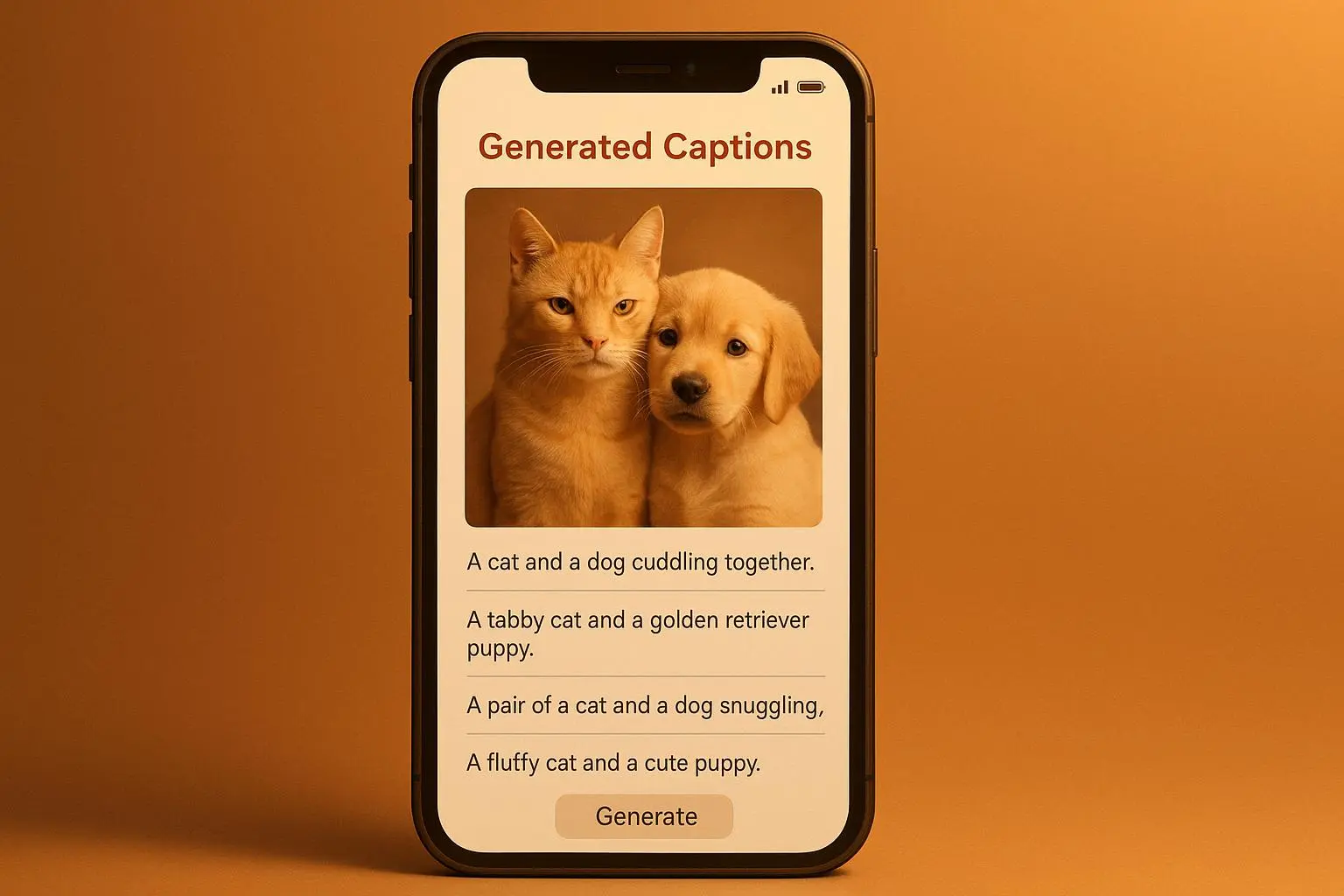
Engagement: Captions matter on social. The right caption increases the odds of someone stopping their scroll, liking, and sharing. ITT can generate multiple caption variants for the same image—short hooks, longer storytelling lines, or humorous takes—so you can test what resonates with your audience without burning hours every day.
Monetization: If you run ads or sponsored content, quicker iteration means more testing. A/B testing five caption variations against the same image can reveal which tone drives higher click-through rates and conversions. When you speed up the creative loop, you scale revenue opportunities faster.
In practice, that translates to three concrete benefits I’ve seen:
A 30% lift in image search traffic after adding keyword-optimized alt text to a catalog of 1,000 product images. The results came in gradually as pages indexed and surfaced in image search, but the lift was steady once the catalog reached a critical mass.
A 2-3x increase in the speed of social content creation. I used five caption variations per image and ran quick tests, rotating through tone options—playful, educational, and heartfelt. The system reduced the time to publish by roughly 60-70%, freeing up hours each week for community engagement and strategy.
A measurable improvement in conversion rates on sponsored posts. Brands tested AI-generated captions against human-written controls and found that the AI variants, when tuned for tone and call-to-action clarity, converted at similar or higher rates in some campaigns. The real win is consistency: you can publish more consistently across channels without sacrificing quality.
If you’re worried about turning pet copy into bland, robotic prose, you’re right to be cautious. Automation should be a partner, not a replacement for voice. The trick is to set guardrails that preserve the personality and the tiny quirks that make a pet content creator relatable.
The nuts and bolts: how ITT actually works for pets
Let me pull back the curtain a little. There are two big pieces to the ITT puzzle: object recognition and natural language generation. The first part answers “what’s in the image?” The second part answers, “how do we describe it in human language that also helps discovery?”
Object recognition: The model scans the image and identifies objects, scenes, and attributes. For a dog photo, you might get labels like “Golden Retriever,” “red bandana,” “beach,” and “squeaky toy.” It’s not perfect—breeds can be tricky, accessories can blur, and lighting can throw off recognition. But it’s a robust starting point.
Natural language generation: Once you have the elements, the model stitches them into a sentence that’s coherent, engaging, and appropriate for the channel. This is where tone and nuance matter. A caption for Instagram might be cheekier; a product description needs clear, informative language; alt text must be concise but descriptive.
Optimization for SEO and accessibility: The text gets sprinkled with keywords in a natural way. It’s about balance: you want useful, discoverable content without turning every sentence into a keyword-stuffed maze. WCAG compliance is the north star here—the text should convey meaning even if the image isn’t loaded.
Human-in-the-loop: The strongest setups use ITT as a first draft. You then skim, adjust tone, fix factual details, and pepper in personality. That’s where your brand voice shines and where automation shines the brightest: the boring parts get done fast, and the human parts get the love they deserve.
What works in practice isn’t a generic “write all your captions with AI.” It’s a workflow where you decide which pieces to automate and where to inject the human touch. For most pet brands, the optimal balance looks like this:
- Generate alt text and a base description automatically
- Create 3-5 caption variants per image (tone-testing)
- Write a longer product description if needed (bulk-friendly, SEO-boosting)
- Review and polish for voice, humor, and accuracy
- Schedule or publish with confidence
A quick caveat: the numbers you’ll see depend a lot on your baseline, your audience, and how well you tune the prompts. If your niche features rare breeds or niche gear, you may need a few extra prompts or some hand-tuning. The AI can get you to “good enough” quickly; your job is to push it toward “brand-perfect” with a few human tweaks.
Real stories from the field
I’ve lived this in the salt-and-pepper of daily publishing. Here are two scenes that stuck with me.
First, the time we rolled ITT into a mid-sized pet-ecommerce site with 3,000+ SKUs. The catalog included a lot of seasonal gear—bandanas, harnesses, toys, and sweaters. We started by auto-generating alt text for all product photos and paired that with short descriptive captions for social posts. Within four weeks, image search impressions for the catalog climbed by 22%. It wasn’t a moon shot, but it was a solid, repeatable win that showed automation could scale without sacrificing diversity in language. We also noticed a drop in bounce rate on image-heavy pages, likely a result of clearer expectations set by descriptive alt text.
Second, a small influencer network focused on premium cat toys. They were drowning in captions. We piloted a system that produced five caption variants per image and let the team test them across a week. The speed gain was the obvious win, but the surprising part was the qualitative lift in engagement. The audience responded to a caption that wasn’t just witty but contextually anchored to the product’s use—“Why this knitted mouse toy makes 10 minutes of zoomies in the living room” landed better than generic humor. The human reviewers retained control over the voice, but the AI gave them a starting point that felt authentic and on-brand.
A micro-moment I carry with me: early on, I learned that the timing of the post mattered as much as the caption. It’s not just what you say, but when you say it. A cute dog photo posted during peak dog-owner activity times got significantly higher engagement than the same post published late at night. ITT helped us test multiple captions, but the timing decision required a separate, simple rule: post when the audience is most likely to be scrolling with a phone in hand. It’s small, but it compounds.
When to lean into automation and when to hold back
Automation shines in two places: high-volume content creation and consistent, SEO-friendly description writing. If you’re publishing four to ten pet photos a day, ITT isn’t optional—it’s a way to stay sane.
Where you should be cautious:
Voice and authenticity: If your brand relies on a very specific, quirky voice, default AI prompts can dilute it. Use AI-generated drafts as a starting point, then push the edits to keep your jokes and cadence intact.
Nuanced emotions: Training models to infer mood from a dog’s body language is still a challenge. A “playful” pant might be easily confused with “exhausted.” Have a human reviewer check captions that hinge on mood or emotional nuance.
Niche content: If you’re working with unusual breeds, rare gear, or highly technical product categories, you’ll need to map prompts carefully and maybe incorporate some bespoke templates to ensure accuracy.
Ethical and authenticity questions: There’s a conversation in the pet creator space about “voice ownership.” If you’re a human behind a brand, there’s value in preserving the sense that a person is speaking for the pet—but you don’t need to tell every audience you used AI in every step. Transparency can be a tool, not a disclaimer, and the right tone matters.
In other words: automate the repetitive, high-volume, keyword-heavy parts. Keep the human in the loop for voice, nuance, accuracy, and the moments where you want to tell a story that only you can tell.
Practical playbook you can start today
If you want to get started without a full-blown engineering project, here’s a practical, copy-ready playbook you can implement this week.
- Map your image types and workflows
- Catalog photos: alt text, short product description, 1-2 caption variants
- Lifestyle shots: longer captions, mood descriptors, potential brand story lines
- Product pages: detailed descriptions with SEO keywords, scannable bullet points, alt text
- Social previews: quick, punchy 1-liner plus optional emoji
- Set guardrails for your prompts
- Tone: playful, warm, informative, or premium
- Length: alt text under 125 characters (for accessibility), captions 10-15 words for social, longer on product pages
- Keyword strategy: sprinkle 2-3 target keywords per description without stuffing
- Create a simple review loop
- Have a human editor skim 10 captions a day for tone, accuracy, and minor factual checks
- Rotate editors to catch blind spots and keep the voice fresh
- Test and iterate
- Run A/B tests on caption variants for the same image
- Track engagement, time on page, and conversions
- Use the data to refine prompts and templates
- Measure impact in stages
- Stage 1: lift in image search impressions
- Stage 2: engagement metrics on social posts
- Stage 3: conversion or revenue lift on sponsored content
- Keep accessibility front and center
- Validate alt text for screen readers; ensure it describes not just objects but context
- Make sure descriptions don’t rely on visual cues that aren’t perceivable to all users
- Protect the brand voice
- Maintain a small set of templates that encode your voice
- Use human tweaks to preserve humor, warmth, and personality
If you stay disciplined about the guardrails and the human-in-the-loop checks, you’ll avoid the “AI writes all my captions” trap. You’ll instead have a scalable system that feels human because you’re shaping it, not outsourcing the soul entirely.
Practical examples: what this looks like in real life
Image: A golden retriever wearing a red bandana on a sunny beach
- Alt text: “Golden retriever on a sunny beach wearing a red bandana, looking toward the ocean.”
- Short description: “Golden retriever enjoys a bright beach day, bandana fluttering in the breeze, toy in sight.”
- Caption variations:
- Playful: “Sun, sand, and sassy bandana. Beach day with the goodest boy.”
- Informative: “Adventure-ready Golden Retriever, red bandana, beach setting, durable chew toy included.”
- Heartfelt: “A sunny moment with my forever friend—simple joys and salty air.”
- Long description for product page: “This durable, lightweight bandana fits most retrievers, stays secure during outdoor play, and adds a pop of color to beach adventures. Made from breathable cotton, it’s comfortable in sun-drenched days and easy to wash.”
Image: A tabby cat lounging with a funky cat tree
- Alt text: “Tabby cat lounging on a multi-level cat tree with soft carpet.”
- Short description: “Cozy cat exploring a plush climbing tree.”
- Caption variations:
- Cozy: “Nap time gold: soft carpet and sunbeams on the cat tree.”
- Fun fact: “Did you know cats hide their claws on carpet? This tree makes for happy nap sessions.”
- Long description: “Our premium cat tree features multiple platforms, soft carpeting, and a stable base for safe, cozy lounging. Ideal for middle-sized cats who love to survey their kingdom from a comfy perch.”
These aren’t perfect sentences you’d spit out of a generic generator. They’re anchors you can tweak, test, and refine. The AI does the heavy lifting, but the human touch keeps the brand voice intact.
Potential pitfalls and how to avoid them
- Overreliance on AI for tone: Don’t let a generic prompt dictate every caption. Build tone variations and encourage editors to adjust to the moment.
- Misidentification risk: Occasionally, the model mislabels breed or gear. Build a quick human-check step to verify the most sensitive details (breeds, brands, or distinctive patterns).
- Narrow audience blind spots: If your audience includes people with visual impairments, invest extra time in alt text precision and readability. It pays off in accessibility and broader reach.
- Brand fatigue: If you publish the same voice too often, people tune out. Schedule quarterly reviews of voice guidelines and refresh templates to stay fresh.
A few thoughts on ethics and voice
There’s a balance to strike between speed and responsibility. AI can empower, but it shouldn’t erase the bond you’ve built with your audience. A dog doesn’t need a poet laureate to tell its story, but it does deserve honest, clear language that respects accessibility and authenticity.
If you’re building a brand that people trust, your ITT setup should reflect that trust. Be transparent in a way that feels natural, not gimmicky. When people understand that automation handles the repetitive parts, they’ll value the human care that comes next.
The future of pet content, in practical terms
What I’m watching most closely is not the tool itself but the ecosystem around it: better prompts, smarter tone controls, and deeper integration with e-commerce platforms. The sweet spot is a system where you push content through a loop that:
- auto-generates and optimizes
- surfaces a few ready-to-edit options
- lets you adjust voice in seconds
- publishes across channels with confidence
That’s not sci-fi. It’s a practical evolution for anyone who’s built a business around pet visuals.
If you’re curious about specific setups, prompts, or templates tailored to your niche—drop me a note. I’m happy to share what’s worked, what’s failed, and how to apply it to your exact situation without turning your process into a hamster wheel.