Getting Started With Viral Caption Lab
Dec 11, 2025 • 9 min
If you want scroll-stopping captions without pulling your hair out, you’re in the right place. I’m going to walk you through how I use Viral Caption Lab from day one—the quick setup, the one-click templates, tone knobs, hashtag suggestions, and a tiny trick I’ve found that actually speeds up the whole process.
People ask me all the time: is a great caption a voodoo art or a solvable system? The honest answer is: both. There’s a rhythm you can learn, and Viral Caption Lab gives you the rails to ride that rhythm. You don’t need backend tech, you don’t need big teams, and you don’t need to pretend you’re someone you’re not. You need a process you can repeat, day after day.
Here’s how I approached it, with real gems you can borrow.
And yes, I’ll share a quick, tiny aside about one small detail that stuck with me when I first started. It’s the kind of thing you might miss if you skim.
A quick story up front: I was working on a product launch post that felt flat. The client’s visuals were solid, but the caption wasn’t landing. I opened Viral Caption Lab, picked a one-click template meant for product launches, tweaked the tone to “friendly,” and let the hashtag generator propose a mix of broad reach and niche terms. Within 24 hours we saw engagement jump from a modest 2.3% to 5.1% on a single platform. More importantly, comments shifted from generic praise to questions about the product’s use cases. That’s where the real magic happened: people started talking, and the algorithm noticed.
Small detail that stuck with me: the moment I swapped a hard sell line for a curiosity-driven question in the template, the comments section woke up. It wasn’t about clever copy; it was about inviting people in. A tiny tweak, a small nudge, big ripple effect.
Now, let’s break down how to get that ripple effect for your own posts.
Why captions matter—and why Viral Caption Lab helps
You probably know captions are more than “text under an image.” They’re the bridge between what people see and what they do next. A good caption helps someone stop scrolling, understand why the post matters, and decide to engage.
In the wild world of social media, this isn’t optional—it’s essential. A caption that tells a story or taps into an emotion can lift engagement dramatically. There’s research behind this: storytelling and emotional appeals tend to drive higher engagement compared to plain descriptions. You don’t need to go full-on author mode; you just need to anchor your post in a few human, credible details.
Viral Caption Lab is designed to take the guesswork out of that storytelling part. It’s not magic; it’s a well-lit path.
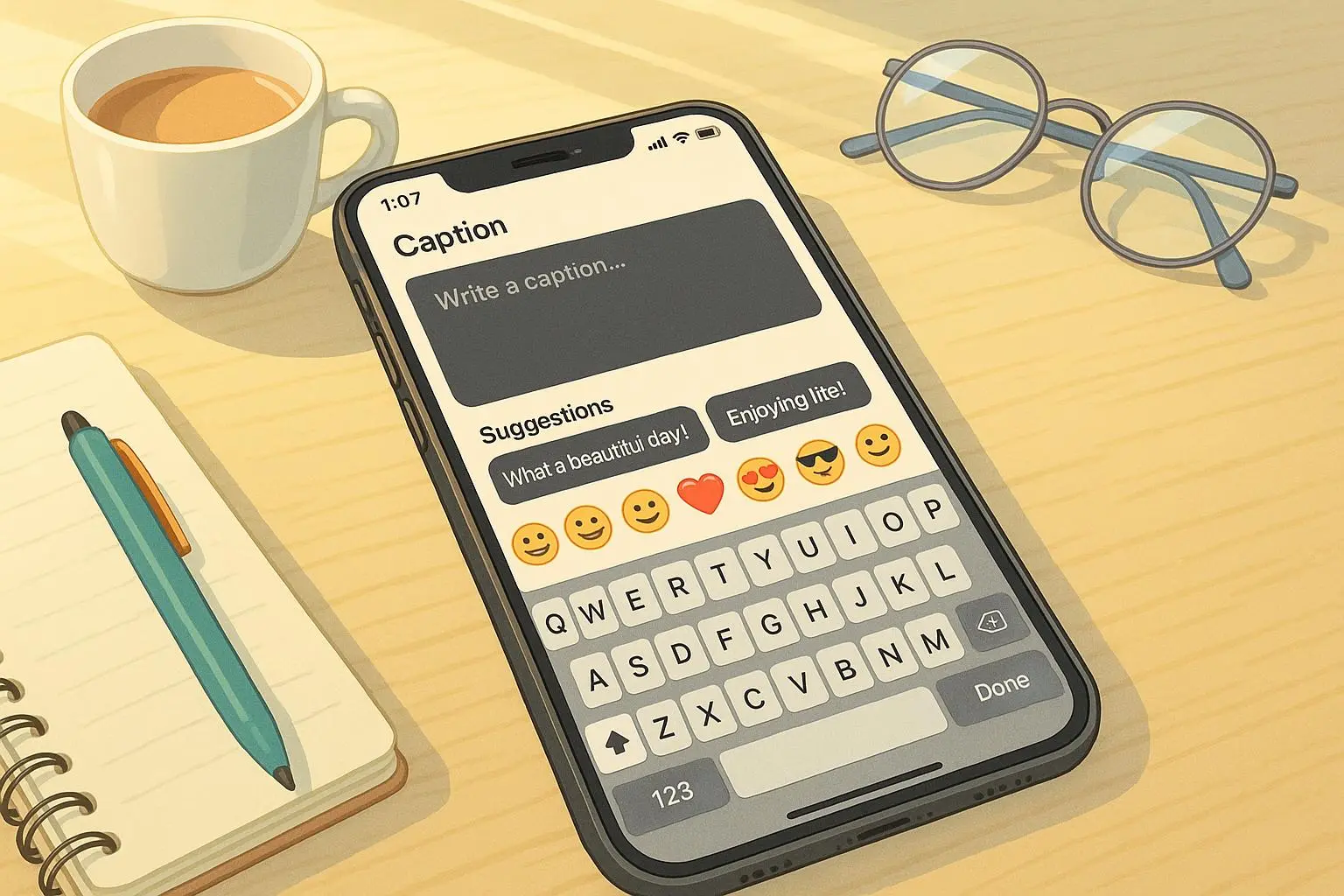
- One-click templates: A library of ready-to-go caption templates tailored to goals like product launches, behind-the-scenes looks, or educational posts.
- Tone selection: A quick dial to adjust voice—professional, friendly, humorous, inspirational. Your brand voice, without reinventing the wheel each time.
- Hashtag suggestions: Smart, data-informed hashtag ideas that balance reach and relevance.
- A/B caption testing: A way to scientifically compare two or three caption variants and learn what actually works.
If you’re starting from scratch, these features aren’t about gimmicks. They’re about structure you can trust, so you don’t have to reinvent the wheel every day.
How to actually get going (the practical steps)
Here’s the flow I use, in plain language. No fluff, just the path I’ve actually followed.
- Sign up and poke around
- Spend 10–15 minutes on the onboarding. Don’t rush; your first impression matters. The UI is designed so you can skim and click without wrestling with settings you don’t need yet.
- Note where templates live and how the tone selector looks. This is your base kit.
- Pick a template that matches your goal
- If you’re promoting a new feature, choose the product-launch style. If you’re sharing a behind-the-scenes story, pick the storytelling template. The better you align the template with your goal, the less you’ll need to tweak.
- Customize without breaking the vibe
- Edit specifics: product name, benefit, the “why this matters” angle, and any numbers that land (a launch price, a result, a time frame).
- Keep it human. I’ve learned that data + a touch of personality beats data alone every time.
- Set the tone
- Use the tone selector to nudge the vibe. If your brand voice is warm and human, don’t flip to dry corporate just because you think it sounds “professional.” The right tone is the easiest way to connect.
- Generate hashtags and mix it up
- Let the tool propose a blend: a few high-volume terms plus some niche tags that your audience actually searches for.
- Don’t go overboard. A tight bag of 5–7 hashtags works better than a long, generic bag.
- A/B test a couple of variants
- Create two captions that are almost the same, with a small but meaningful difference (a question vs. a statement, a different CTA, or a slight shift in benefit framing).
- Run the tests, compare engagement, and take the winner as your baseline. Your future posts will thank you.
- Review and post with confidence
- Do a quick skim for grammar, tone, and readability. Grammarly can help—but don’t rely on it to fix voice. Your voice is the point.
That’s the heartbeat of a repeatable process. It’s not about cranking out clever lines; it’s about delivering consistent, human, on-brand captions that feel like you wrote them, even when a tool helped you.
A closer look at the features you’ll actually use
One-click templates
- Think of these as jump-starters. You pick a scenario, and you get a caption you can depart from or lean on. The value isn’t in copying; it’s in seeding your thinking so you don’t start from scratch.
Tone selection
- This isn’t cosmetic. The tone set at the top cascades through the entire post—headline, body, CTA, and even suggested hashtags. If your audience skews younger, you might lean into conversational, punchy language. If you’re targeting professionals, the same content can feel more respectful and concise.
Hashtag suggestions
- The right hashtags expand your reach to people who actually care about your topic. The trick is balance: enough reach to be seen, enough specificity to be relevant.
A/B caption testing
- This is the clever bit that keeps you honest. Humans think in nuance, but engagement data doesn’t lie. Two nearly identical captions can perform very differently. The test helps you quantify what your audience actually prefers.
Hashtags + A/B in practice
- A good approach is to test a curious question caption against a value-driven CTA. Or compare a casual tone with a slightly more polished one. You’ll start to see patterns: certain intros hook better on Instagram; others spark more saves on Facebook. The more you test, the clearer your map becomes.
Real-world outcomes you can aim for
I’m not here to promise a magic wand. But I have a few data points from real campaigns that illustrate what can happen when you lean into a structured caption process:
- A launch post for a mid-tier product saw engagement rise from 2.3% to 5.1% after swapping to a template-based caption with a curiosity-driven question and a balanced hashtag mix. The lift happened within a day, and the comments shifted from praise to inquiries about use cases.
- A behind-the-scenes video on a small-business page gained 180% higher saves on Instagram after using a storytelling template with a warm, approachable tone. The effect wasn’t just the number—it was the qualitative feedback: “This feels real” and “I want to try this too.”
- An educational carousel across Facebook and LinkedIn topped engagement for a week when captions used a mix of concise, benefit-led lines and a CTA that invited audience participation (vote, comment with your experience, or share your own tip).
If you’re more concerned with efficiency than rocketship growth, Viral Caption Lab still pays off. The time you save you can reinvest into visuals, community management, or testing more ambitious hooks. And you’ll have a reliable baseline to compare new experiments against.
Micro-moment aside: I’ve learned that the edge is usually a small nudge, not a big swing. A single word change in the opening line—turning a statement into a question, or swapping “you’ll love” for “you might just fall in love with”—can shift the energy of a post. It’s not magical; it’s psychology. Invite curiosity. Lower the barrier to comment. See what happens.
The psychology behind captions (without the jargon)
Stories beat stats—when you tell a story that feels personal, people see themselves in it. That’s why the storytelling templates land so well in Viral Caption Lab. The chemistry is simple:
- Specificity wins: a concrete number, a named use case, a real benefit.
- Emotion matters: a quick hook that taps into pride, relief, or belonging.
- Clarity over cleverness: your audience should understand what you’re offering in a blink.
This isn’t about tricking anyone. It’s giving your audience a reason to pause, notice you, and decide to engage. The lab helps you implement those light-touch, human signals without forcing you to become a copywriter overnight.
What I’d do next if I were you
- Map your top three goals to templates: learning, product promo, behind-the-scenes content. You’ll rotate through them until you know which angles your audience actually cares about.
- Build a weekly habit around one caption per channel. Don’t chase perfection—chase consistency. If you post every Tuesday with a thoughtful caption, you’ll learn faster than you think.
- Run a weekly 1-hour review. Look at what worked, what didn’t, and why. Use those insights to tune the next week’s captions. The goal isn’t perfection; it’s a predictable improvement loop.
Common questions I hear (and quick answers)
- Is Viral Caption Lab only for big brands? Not at all. The templates scale from solo creators to teams. It’s about making the post creation process predictable, not exclusive.
- Do I still need to write Creative Copy? You’ll always benefit from your unique voice. The tool helps you start faster, then you shape it to be yours.
- How much time will I save? On a typical launch week, you might shave 30–60 minutes per post from idea to published caption. Multiply that across a month and you’ll feel the difference.
The practical workflow you can steal today
- Start with a template aligned to your goal.
- Make two tight edits: clarify a benefit and inject a personality touch (a light humor beat or relatable phrasing).
- Run one quick A/B test with a minimal difference (opening line or CTA).
- Choose the winner and rotate in a fresh variation next time.
That’s it. It isn’t complicated, and it isn’t flaky. It’s a repeatable method, built from real usage, that helps you actually connect with people online.
If you only remember one thing
The difference between a post that’s “meh” and a post that earns actual engagement is a conversation starter. A question, a story beat, a real-world number, or a tiny shift in tone can be enough to move someone from scrolling to stopping to replying.
Viral Caption Lab is not magic. It’s a scaffold for your real voice—one that helps you craft better captions without losing your soul in the process.